Skip to content
Because of our dad's first stroke in 2018 · Our story

The health tracker for families & caregiversYour family's care, finally on the same page.

Shark Team keeps vitals, meds and appointments in one app, with reminders and easy exports. Use it for yourself, for everyone in your household, or for a parent with a whole team of family and caregivers. Turn on only what you need.

  • Early access is free
  • iPhone & Android, no app store needed
  • Works offline
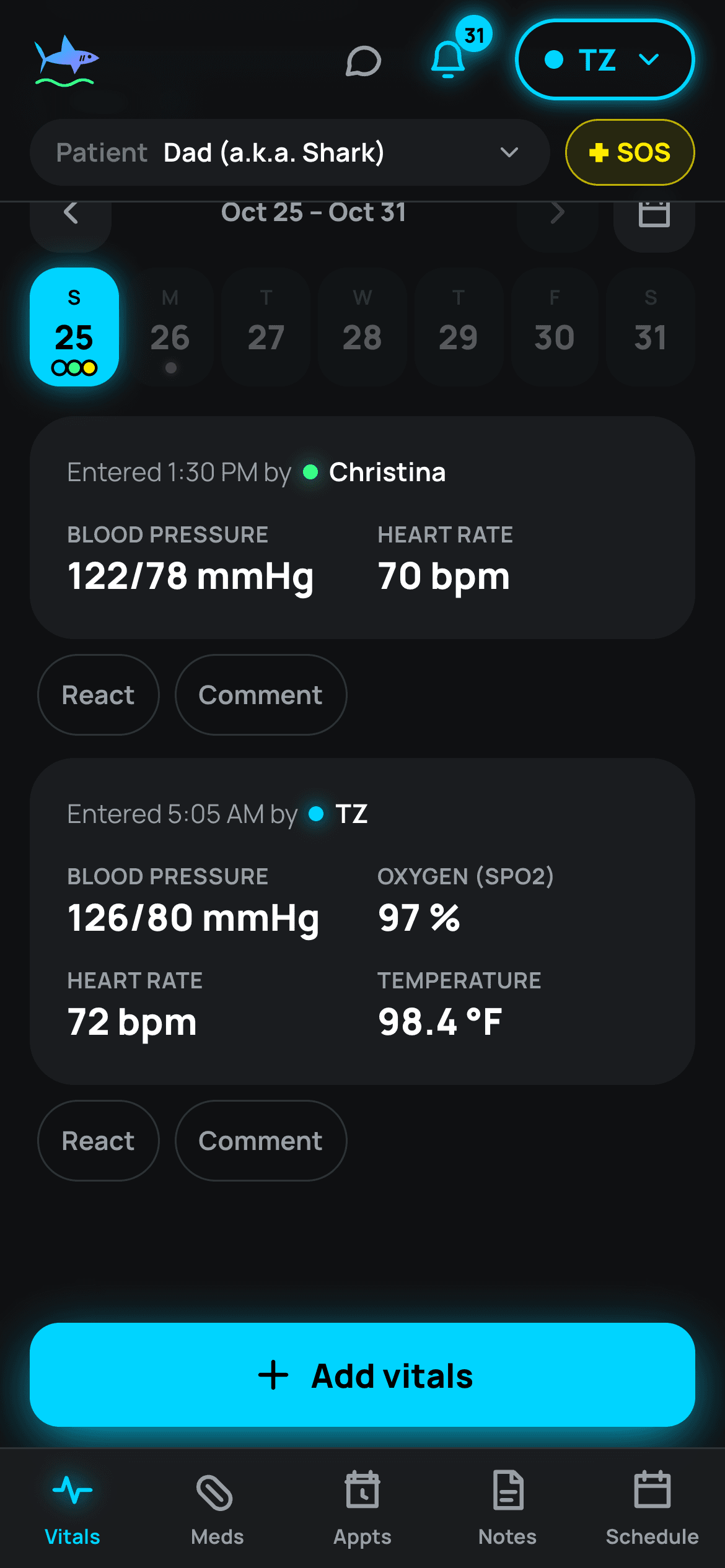
Shark Team's Vitals tab: TZ's 5:05 AM reading for Dad, blood pressure 126/80

HOW THIS STARTED

It started with our dad's first stroke in 2018.

For eight years, we kept his care together with group texts and a shared iPhone calendar that cluttered everyone's phone. Every dose, every doctor visit, every shift.

NOW, FINALLY

One app. Customized for your family's care.

WHO IT'S FOR

For you, your household and your care team.

FOR YOURSELF

Track your own health, simply.

Your vitals, meds and appointments with reminders, and a clean export for your doctor. No caregivers needed.

The personal health tracker
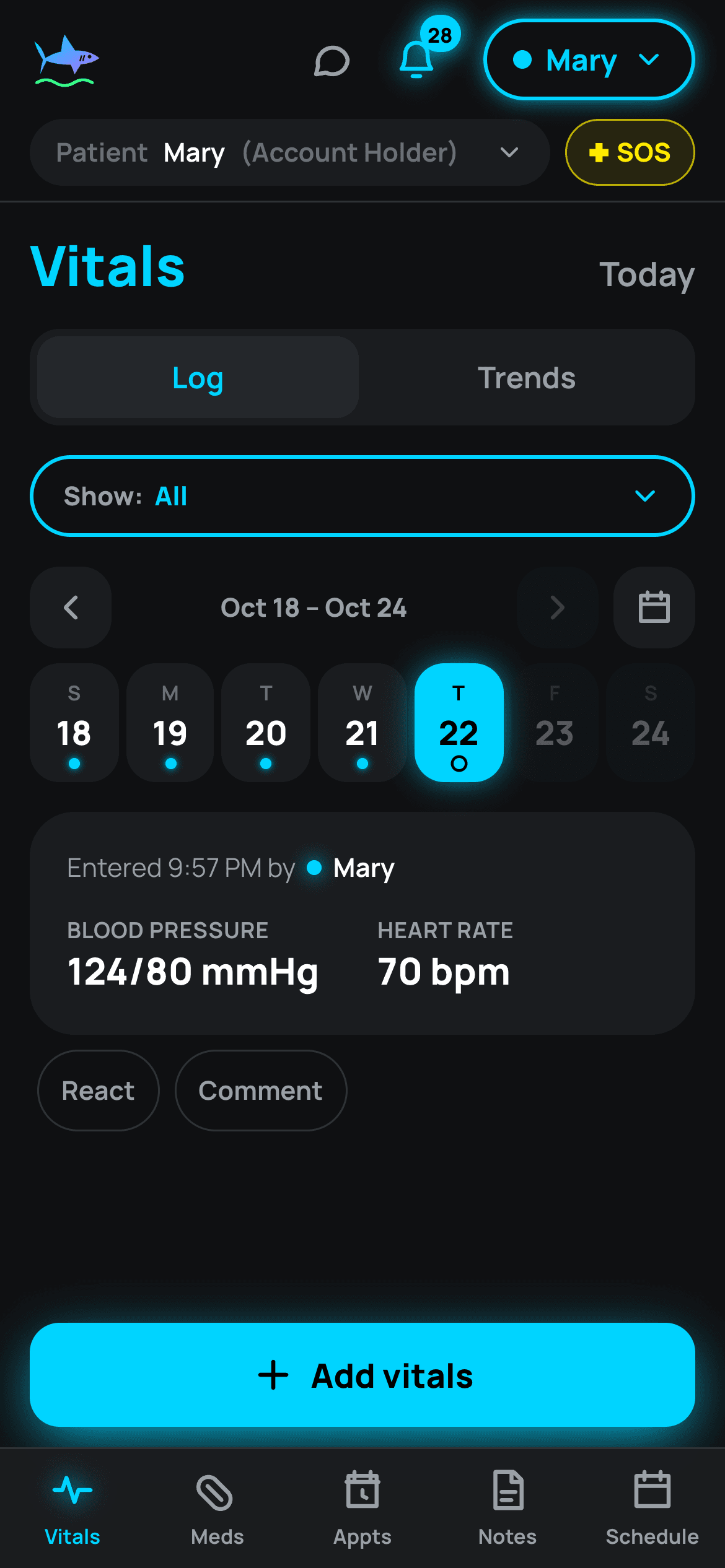
Mary's own Vitals tab: today's blood pressure, 124/80, and heart rate, 70

VIEWER: Share with family only if you want. They can see, not change.
FOR YOUR HOUSEHOLD

Keep the whole family on track.

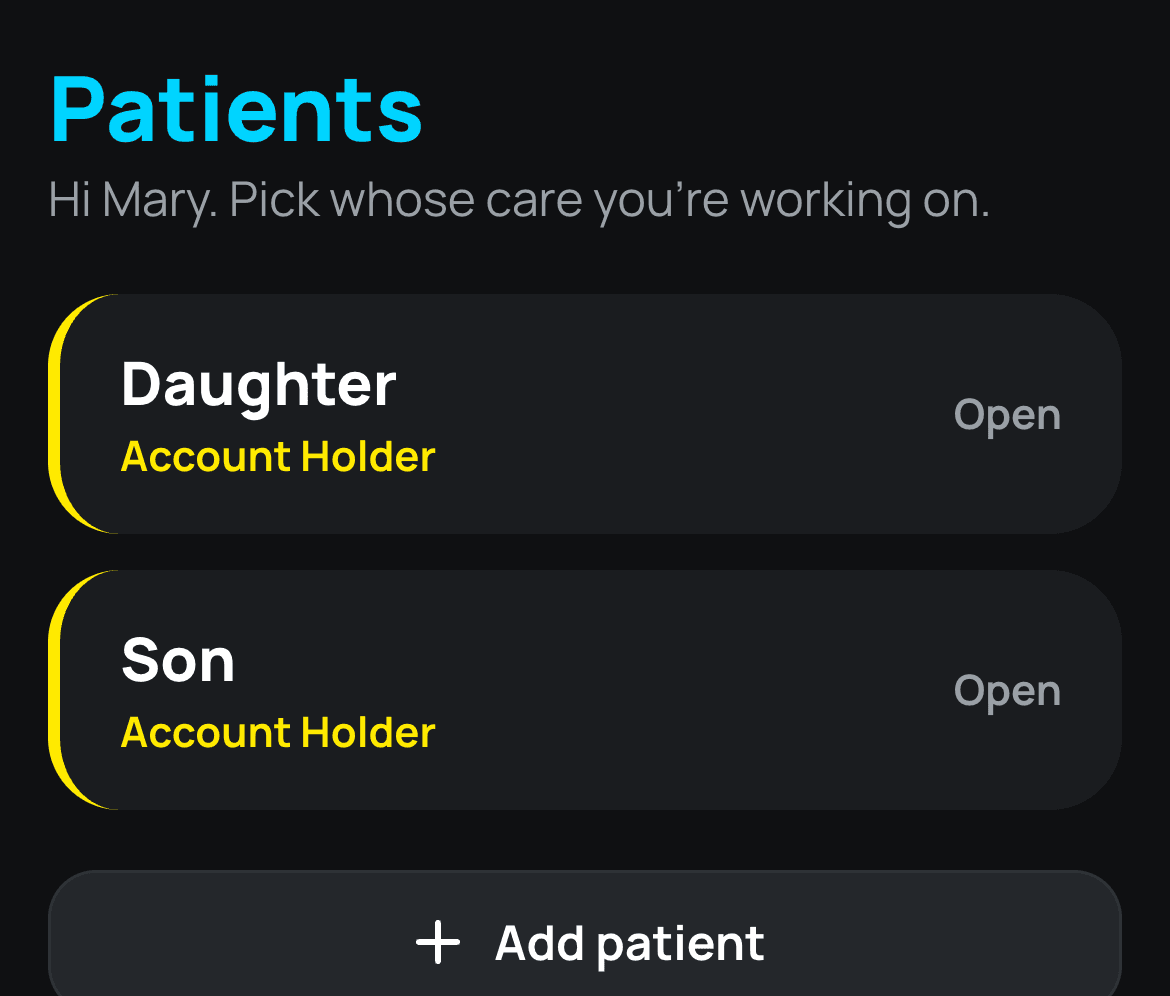
You, your partner, the kids or a parent each get their own profile. Switch with one tap, with reminders so nothing slips.

The family health tracker
Mary's profiles in Shark Team: Daughter and Son, one tap apart

FOR A CARE TEAM

Vitals, meds, appointments and caregivers. All in one place.

Family and caregivers share one record, with shifts, clock-in hours, tasks and handoffs, so everyone knows what happened and what's next.

The caregiver app for care teams
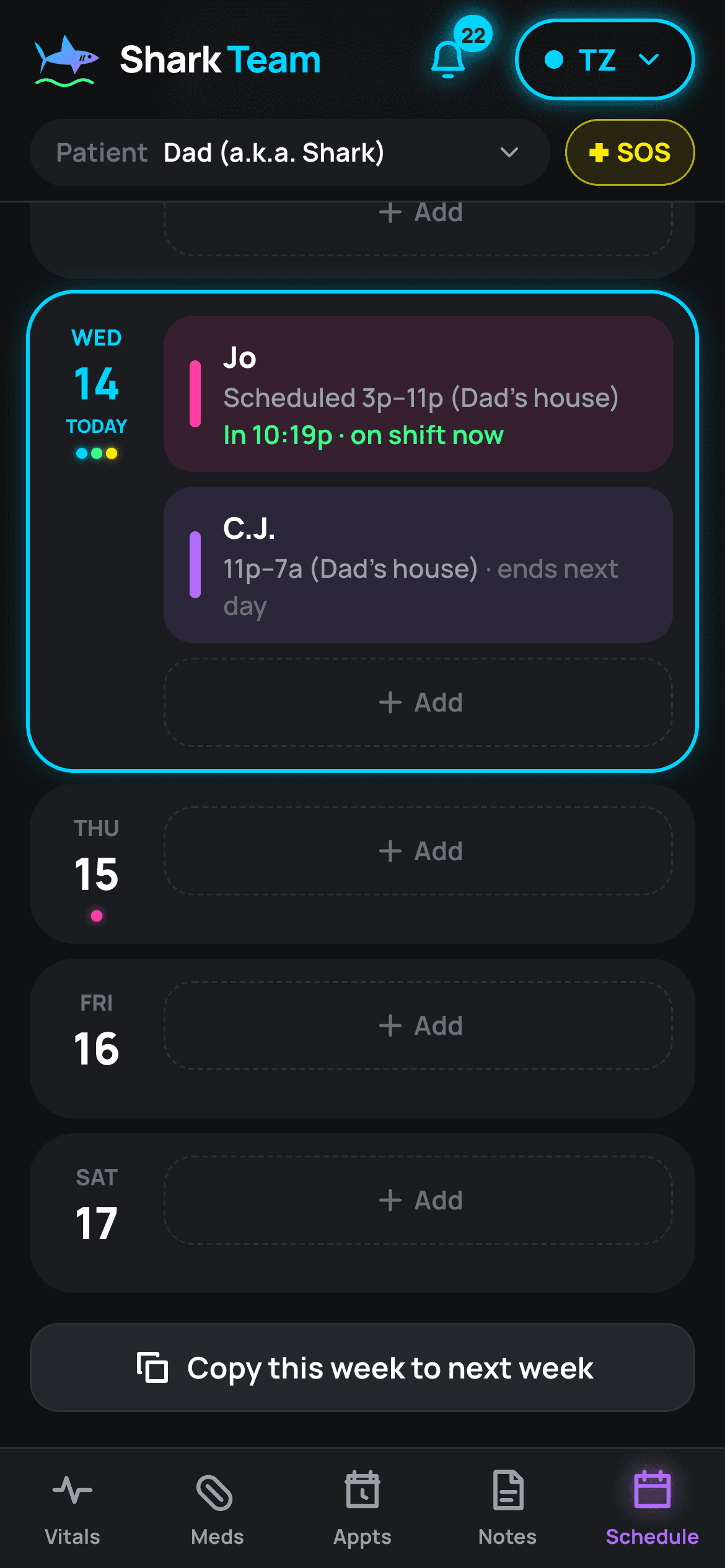
Shark Team's Schedule tab with a caregiver's shift and hours

WHAT IT CAN DO

Everything in five tabs.

Use all five, or turn off what you don't need.

See it in action

A quick look at the real app.

No sound.

VITALS

See how they're really doing.

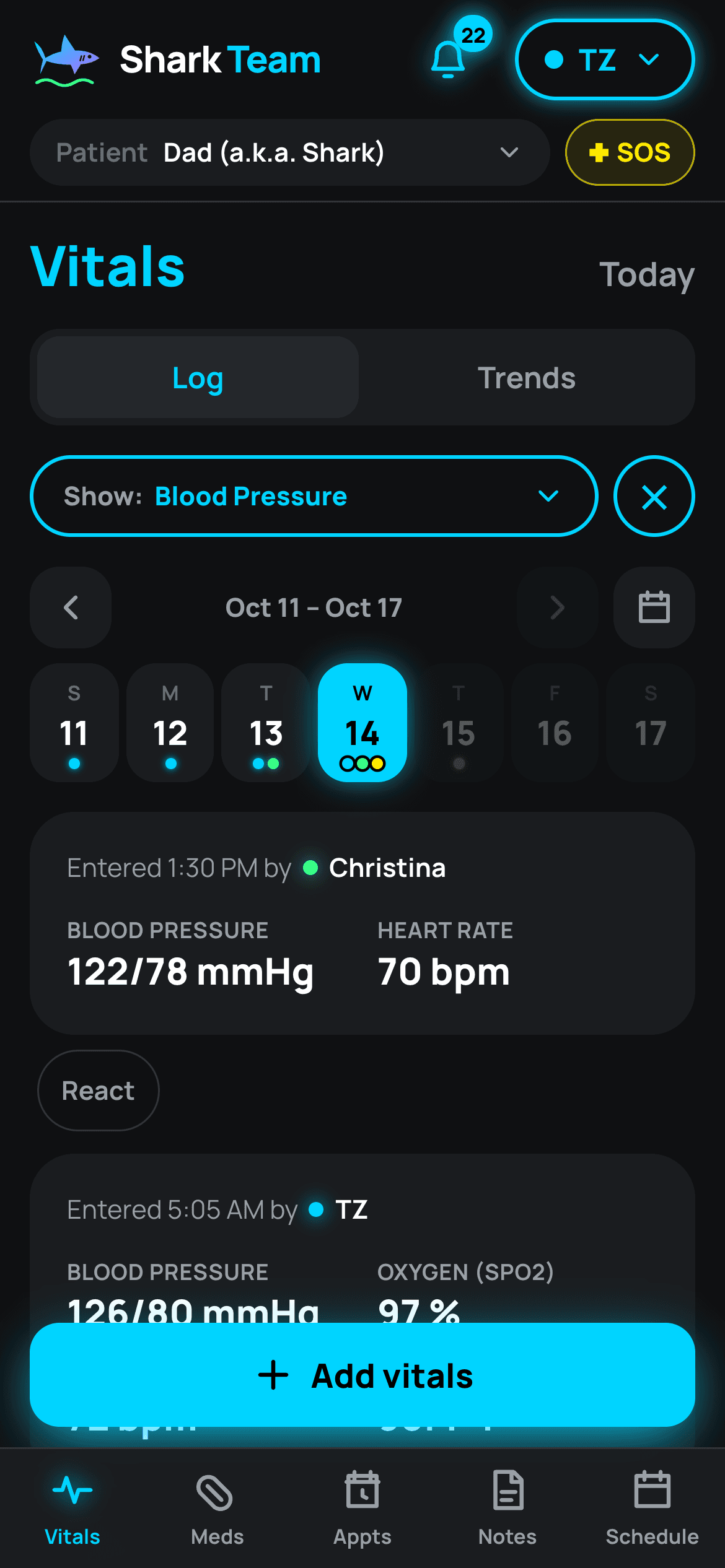
Blood pressure, heart rate, oxygen, sugar, temperature and more. Filter to one vital and see every reading, who took it and when.

  • Track only what you need, or add your own
  • Fill in what you took, blanks stay blank
  • Edits always keep the original
More about the vitals tracker
The Vitals tab filtered to blood pressure

MEDS

Taking a few at once? One log.

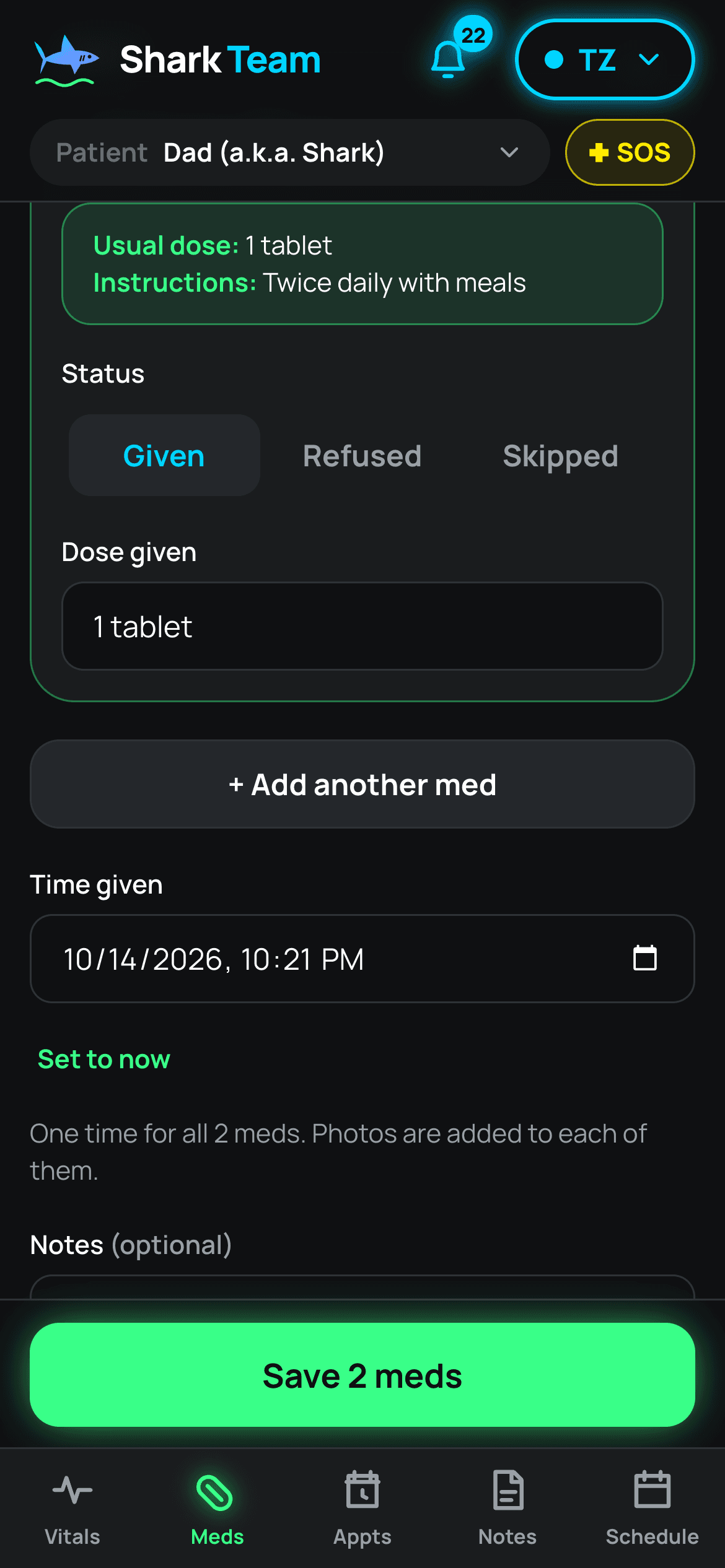
Pick a med, tap “Add another med,” and keep going. Each one gets its own dose and given, refused or skipped, and the team gets one notification instead of a pile of them.

  • Reminders for any time and day
  • Warns you if an as-needed dose is too soon
  • Snap a photo of the bottle or label
More about the medication tracker
Logging two meds at once, with “+ Add another med”

APPOINTMENTS

Never miss a doctor again.

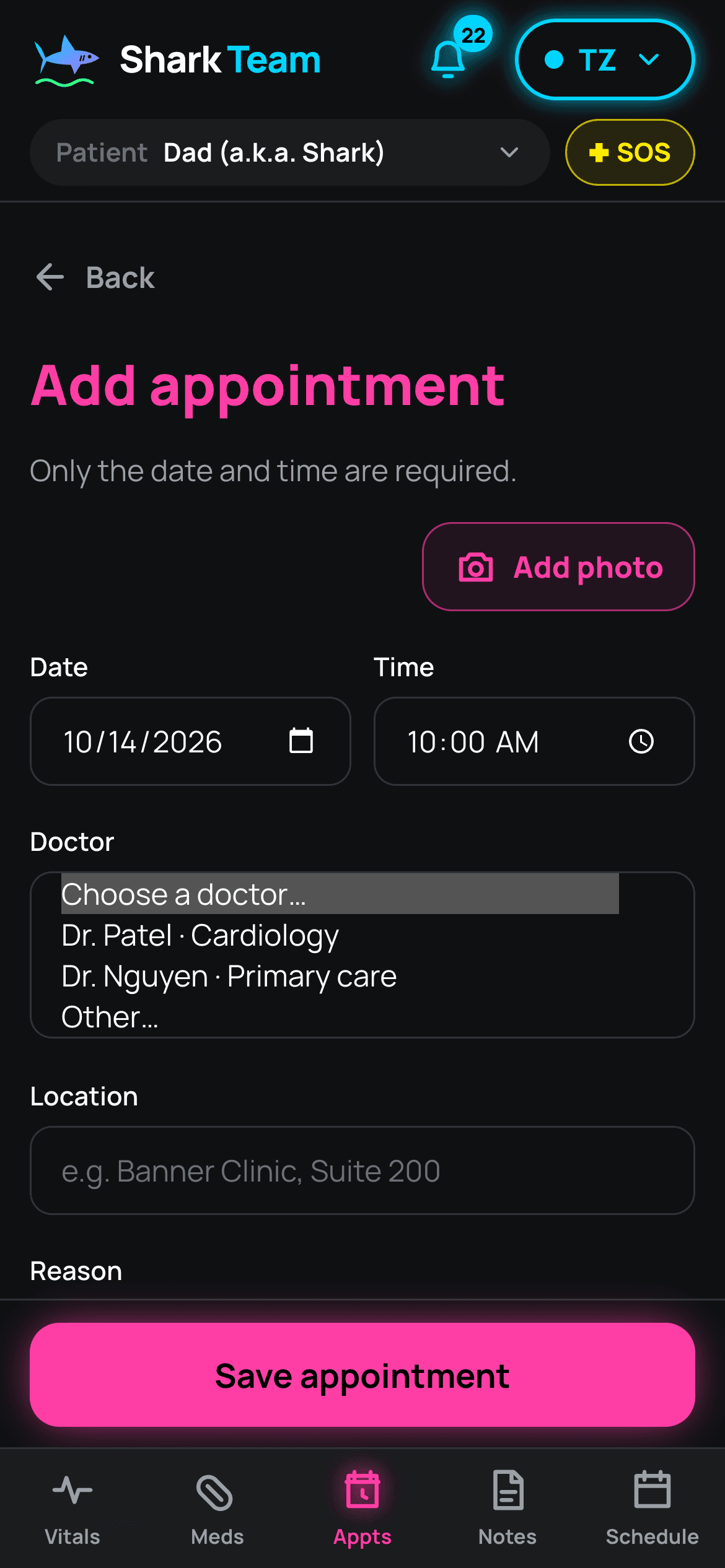
Your doctors are saved, so the next visit takes a few taps. Reminders go out ahead of time, and you can snap the visit papers right onto the appointment.

  • Reminders the day before and 2 hours out
  • Pick from your saved doctors
  • Photos of visit papers and prescriptions
More about appointment reminders
A new appointment with the saved doctors list open

NOTES

Updates the whole family actually sees.

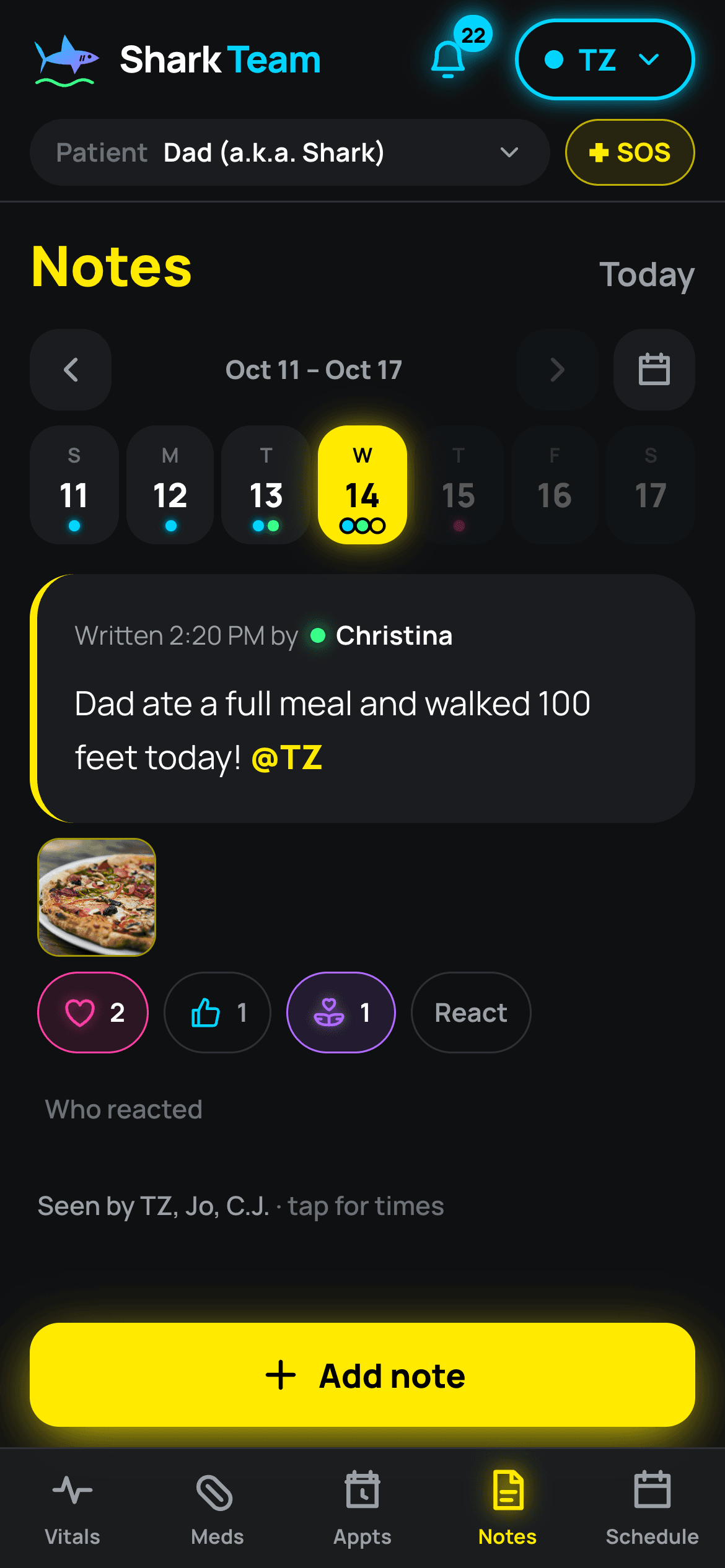
No more lost texts. Post a note with a photo or video, and @mention someone so they don't miss it. Account Holders and admins can see who's read it.

  • @mention one person or @everyone
  • Hearts, thumbs up and more
  • See who's read it (Account Holders and admins)
More about family care coordination
A note from Christina with a photo, an @mention and reactions

SCHEDULE

Shifts and hours, handled.

Build shifts with any hours, let caregivers clock in only when they're actually there, and give every shift its own task list.

  • GPS clock-in, within 500 ft
  • Hours worked for any dates
  • Tasks checked off by whoever's on shift
More about the caregiver schedule
The Schedule tab with a caregiver clocked in

SHIFT HANDOFFS

The next shift starts caught up.

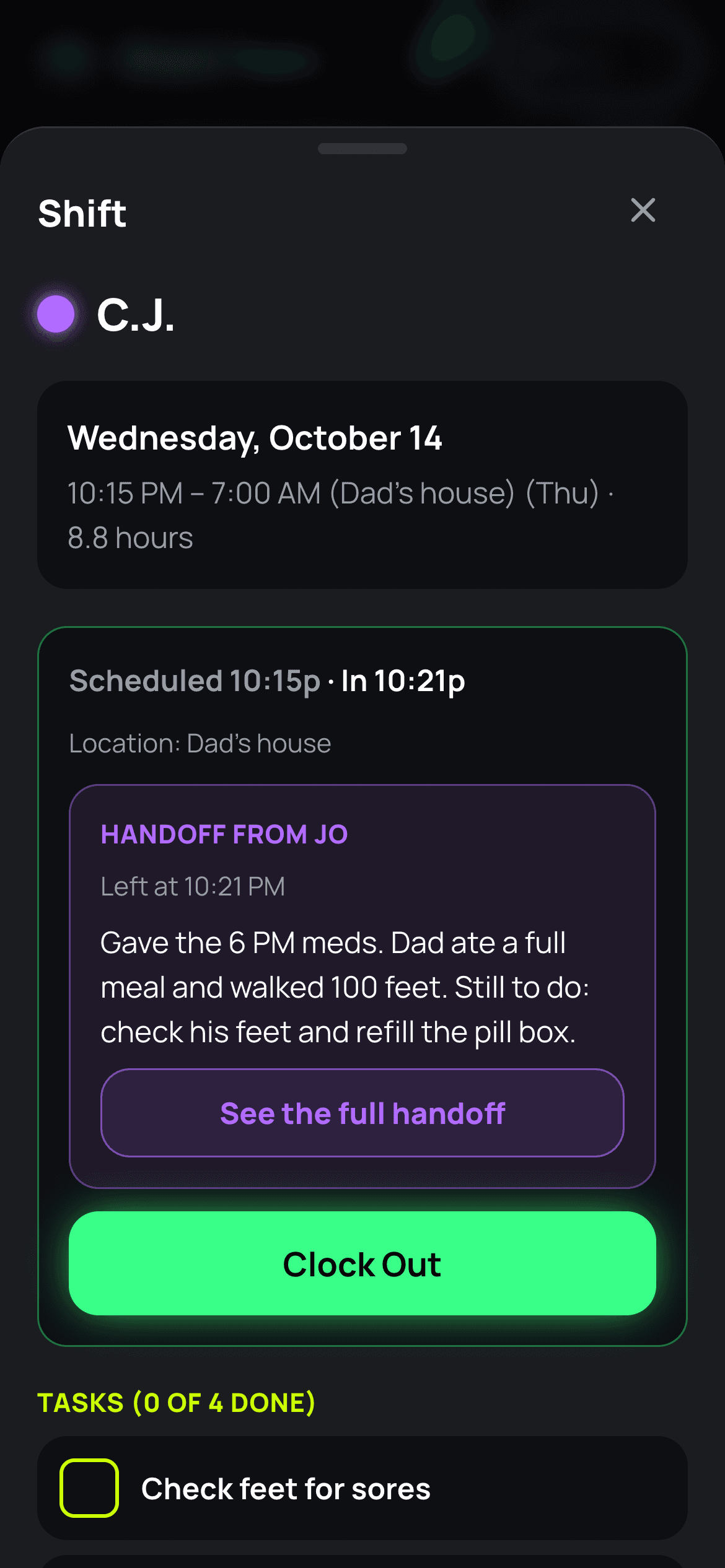
Before leaving, caregivers drop a quick handoff: meds given, how Dad's doing, what's left. The next caregiver sees it the moment they clock in.

  • No more phone calls between shifts
  • The next caregiver sees it at clock-in
  • Unfinished tasks are flagged at clock-out
More about care tasks and handoffs
The next caregiver clocked in and seeing the handoff from Jo

MAKE IT YOURS

Track anything. Even a healing wound.

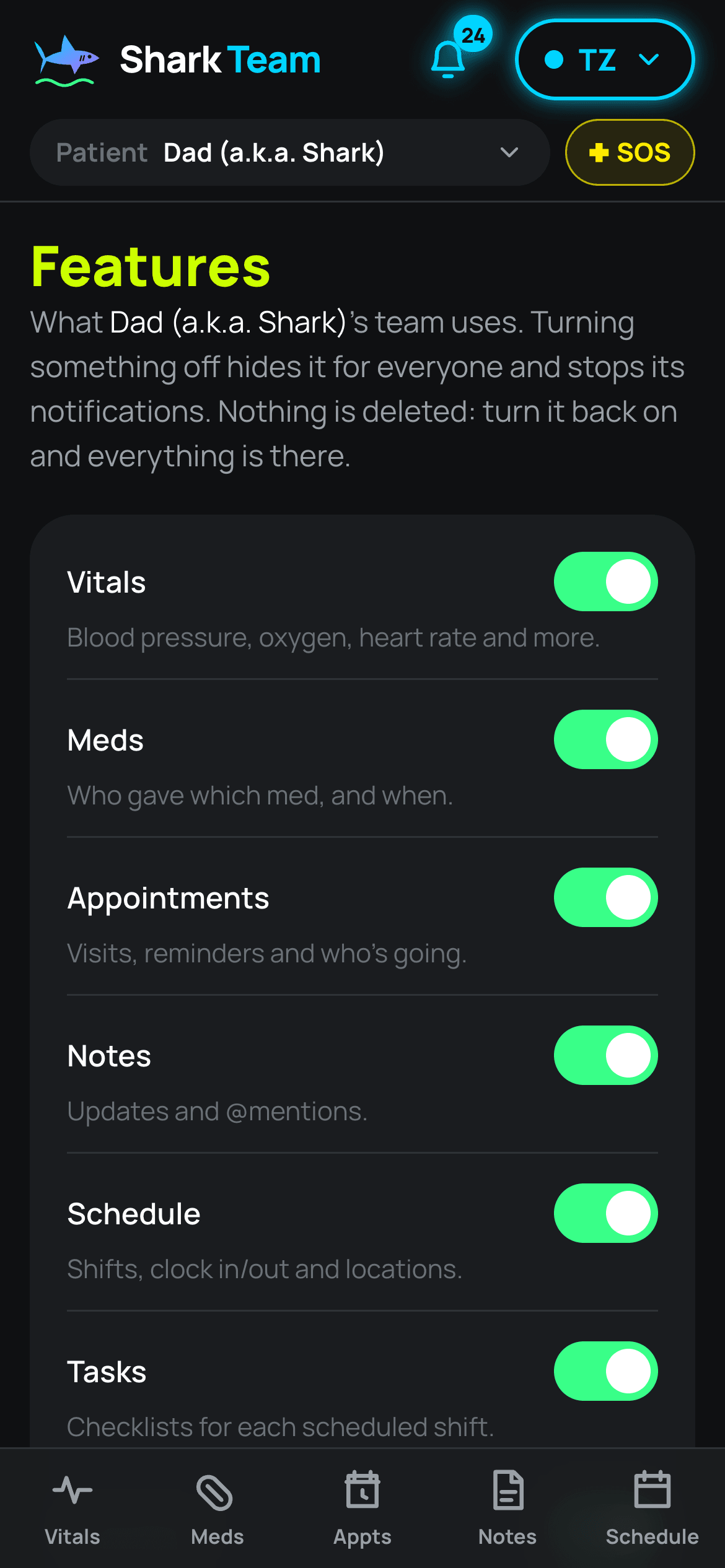
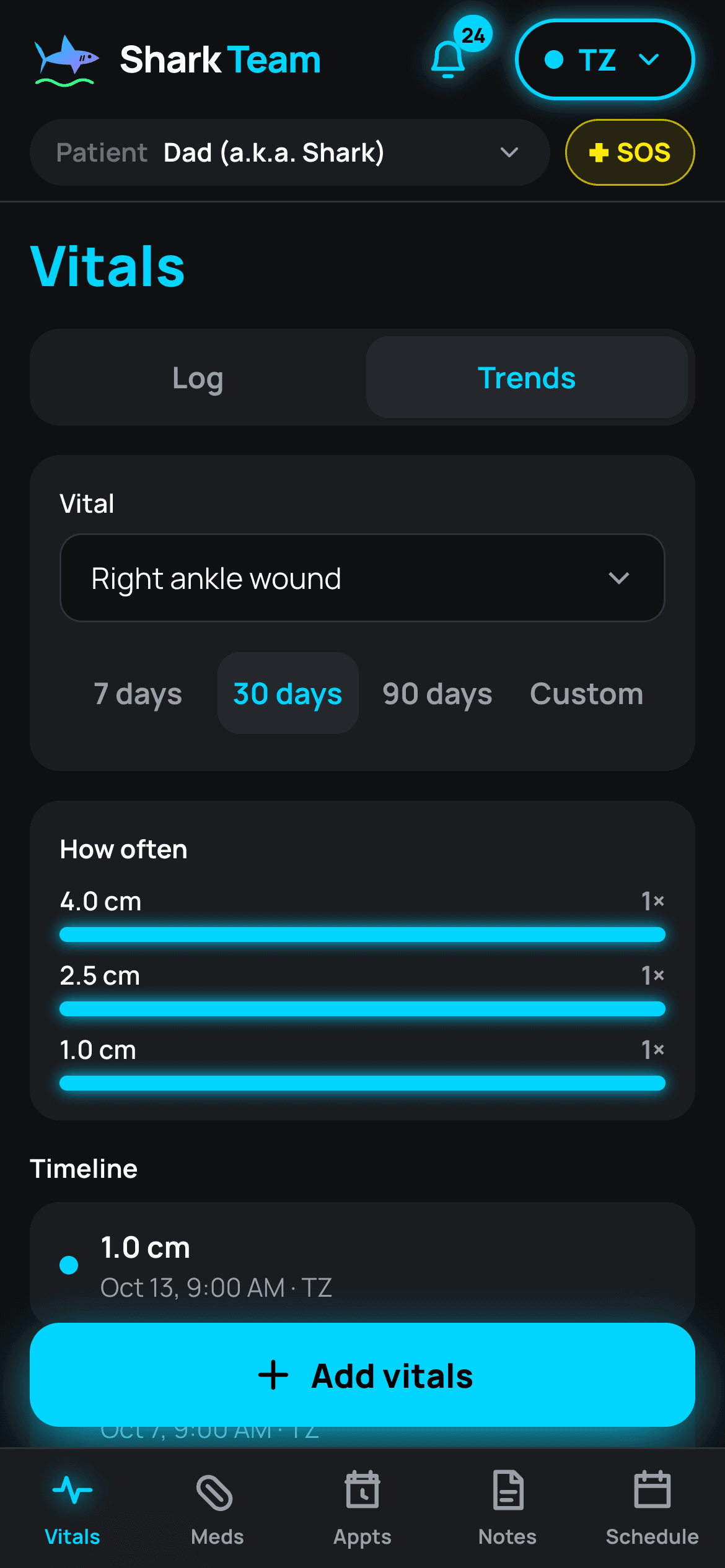
Turn features on or off for each person, and add your own things to track, with photos or videos to watch the progress.

Custom vitals and trends
Feature switches
A custom vital, Right ankle wound, shrinking from 4.0 cm to 1.0 cm

SOS

Everything the ER asks for, in one tap.

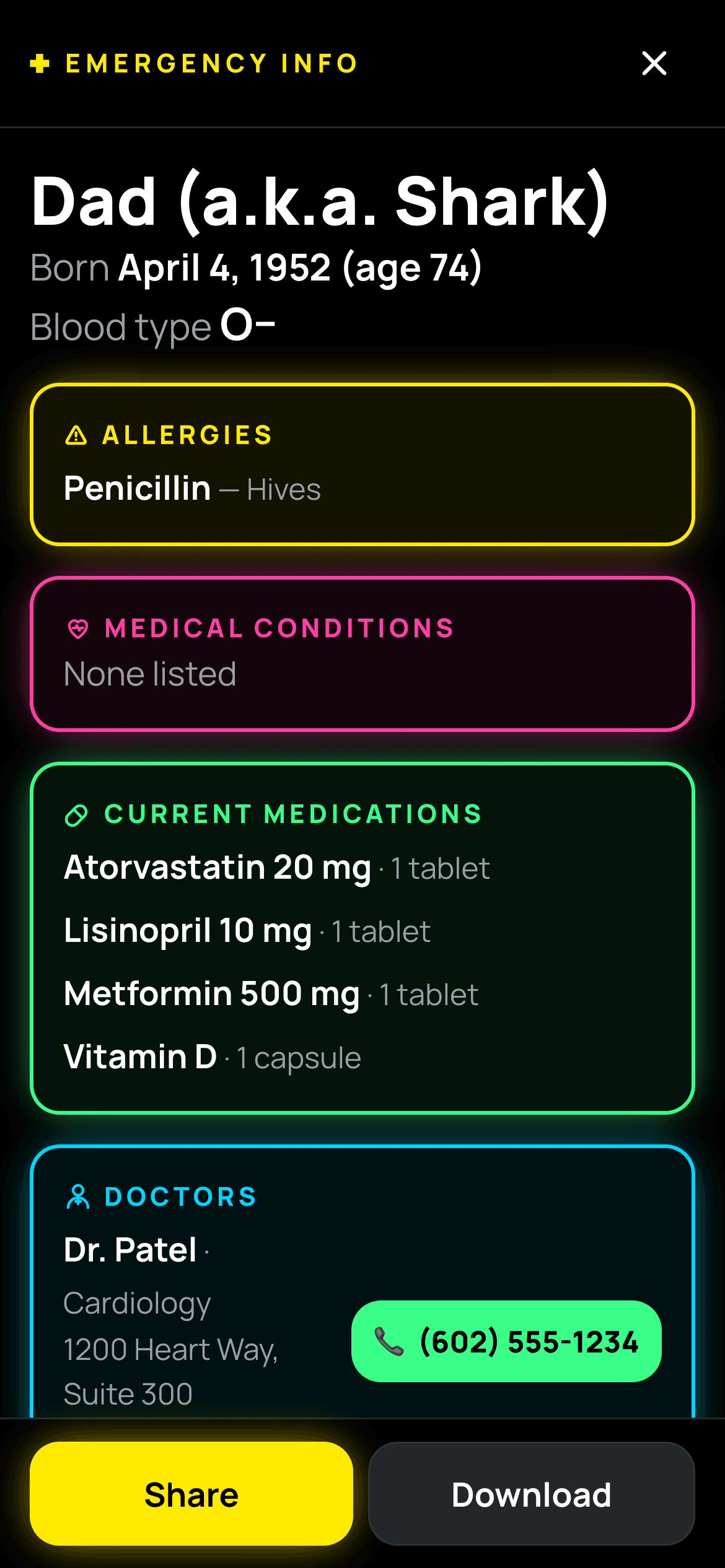
Allergies, meds, doctors and emergency contacts on one card. Works with no signal, and shares as a PDF.

The emergency medical card
The emergency info card

AND A WHOLE LOT MORE

Every little thing, thought through.

Works offline

Log vitals, meds and notes with no signal. They sync when you're back.

Exports for the doctor

A clean PDF or a spreadsheet of exactly what you choose.

Supplies

Track supplies and get a heads-up before something runs out.

Four simple roles

Account Holder, Admin, Caregiver and Viewer. Everyone sees what they should.

Everyone in one place

Family, caregivers and every patient you help, one tap apart.

Private by design

Each patient's team is private. Lock-screen alerts never show readings or message text.

FREE GUIDES, PRINTABLES AND TOOLS

Help for your health and every part of caregiving.

See all guidesSee all free tools

Questions, answered.

Is Shark Team free?

Early access is free.

Can I use it just for myself?

Yes. Pick “Myself” when you set up, turn on only what you want, and use it on your own. You can invite others any time, or never.

Can I track my whole family?

Yes. Give each person their own profile (you, your partner, your kids or a parent) and switch between them with one tap. Each one has their own vitals, meds and appointments.

Can my family see it?

Only the people you invite to that patient's team. Each person's role decides what they can do: Viewers can see but not change anything, and caregivers only see what's useful for their shifts. Nothing is ever public.

Does it work on iPhone and Android?

Yes. Shark Team works on iPhones (in Safari), Android phones (in Chrome), tablets and computers.

Is my data private?

Yes. Each patient's information is shared only with the people you invite. Shark Team has no ads, never sells your data and has no tracking. Your information is stored in the United States and encrypted, and lock-screen notifications never show readings or message text.

Do my caregivers need to download anything?

No app store needed. They open the invite link you send, create a password, and they're in. They can add Shark Team to their home screen in a few taps so it opens like a regular app.

What if there's no signal?

You can still see the last 7 days, open the emergency info card, and log vitals, meds, notes and task check-offs. Everything is sent automatically when the signal is back. Photos and videos need a signal.

Less time tracking. More time caring.

Early access is free. We'll set you up personally.

No spam. Just your spot.

Questions? Talk to a real person.

We're a family too, and we read every message.

support@sharkteam.app