APPOINTMENT REMINDERS
A doctor appointment tracker with reminders that work
Cardiology on Tuesday, labs on Thursday, the eye doctor next month. When you're managing someone's care, appointments pile up fast, and a missed one can mean weeks of waiting for another.
Shark Team keeps every appointment in one shared list, reminds the right people ahead of time, and lets you add your own reminder, like “Don't eat after midnight.”
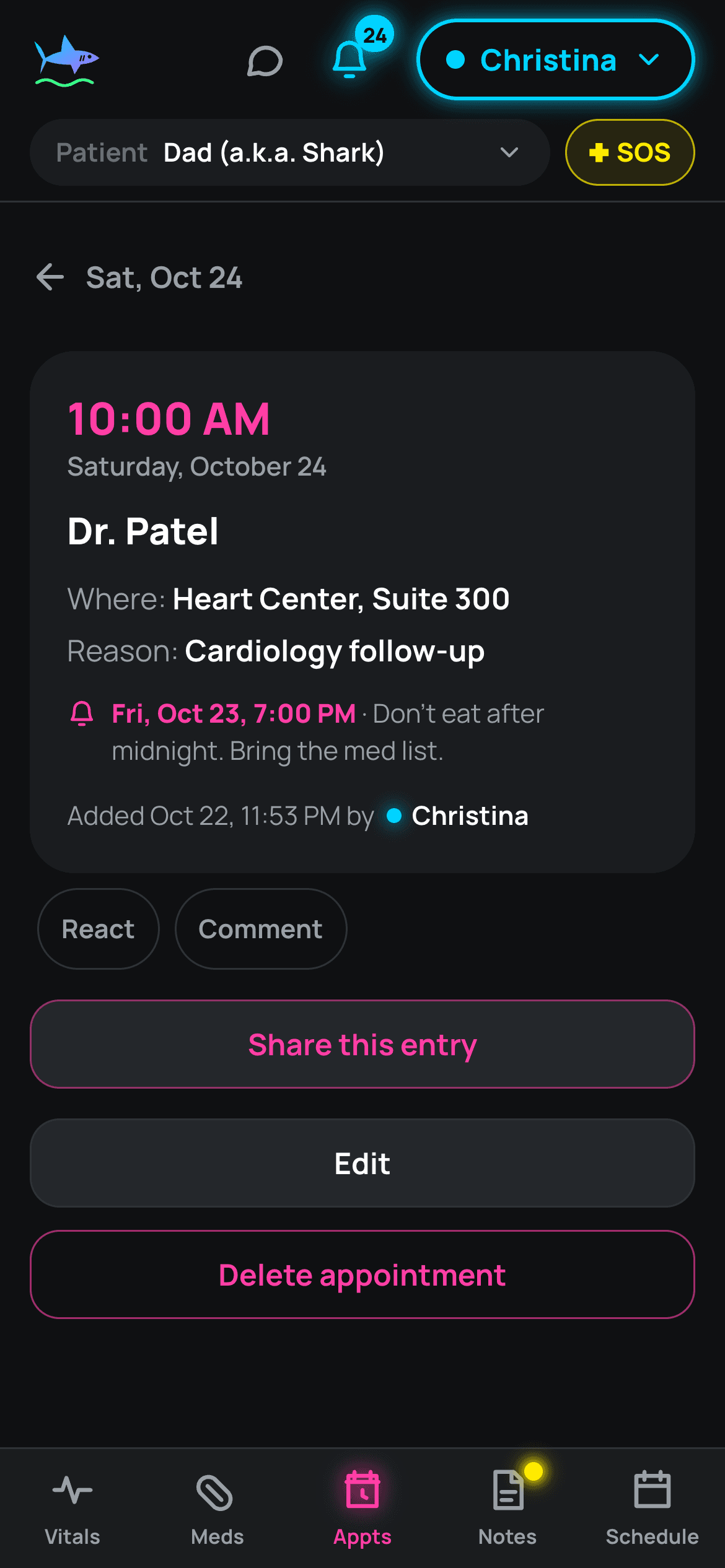
Every doctor appointment in one shared place
Add the date and time, the doctor, where it is and the reason for the visit. Appointments show up on the Home calendar with a pink dot, so anyone on the team can see what's coming this week.
Choose who's taking them with “Accompanied by,” so there's no confusion about who's driving. It can be someone on the team or anyone else, like an uncle who offered to help.
- Date, time, doctor, place and reason
- On the shared calendar for everyone
- “Accompanied by” so everyone knows who's going
Saved doctors make the next visit quick
Save each doctor once, with their specialty, phone number and address. Next time, pick them from the list and the details fill in. Your saved doctors also appear on the emergency info card, ready to share with ER staff.
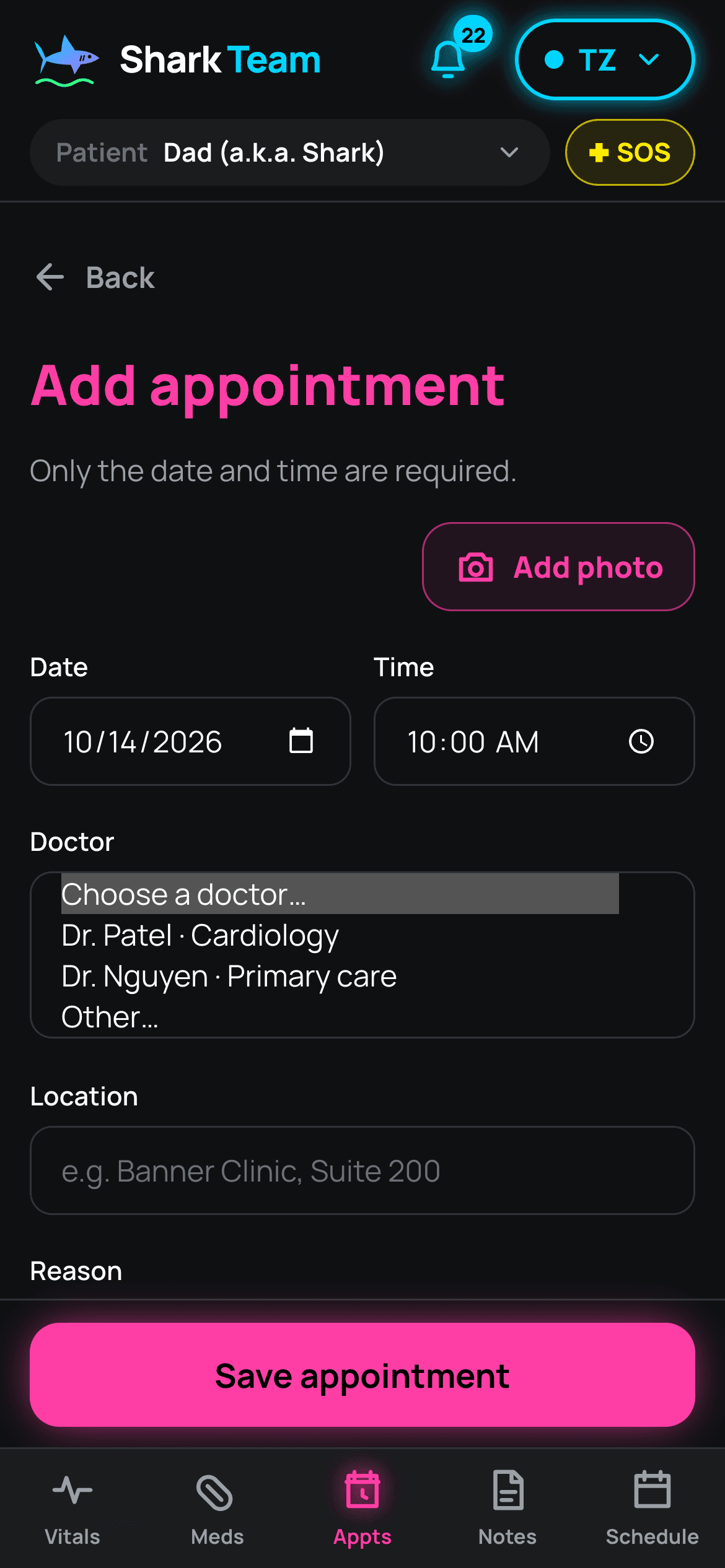
Appointment reminders: the day before and 2 hours out
Reminders go out automatically the day before and again 2 hours before the appointment. They reach the Account Holder, the Admins, and whoever is accompanying the patient. If an appointment is moved or cancelled, the old reminders are never sent.
Reminders work across time zones too. If you're in a different time zone from the patient, the reminder shows the time with its zone, so there's no mix-up.
- Automatic reminders the day before and 2 hours before
- Sent to the people who need them
- Changed or cancelled visits never send old reminders
Custom reminders, like “Don't eat after midnight”
Some visits need a reminder of their own. Add one to any appointment, at any date and time, with a short note: “Don't eat after midnight before the procedure,” “Bring the med list,” or “Stop the blood thinner 2 days before, per Dr. Patel.”
The custom reminder shows the note you wrote, so the instructions arrive exactly when they're needed. Since it can appear on a lock screen, keep anything private out of the note.
Photos of visit papers, and notes after the visit
Snap a photo of the after-visit summary, a new prescription or an instruction sheet and add it right to the appointment. Comment on the appointment to share how it went, so family who couldn't be there know what the doctor said.
Not sure what to bring? Use our doctor appointment checklist for aging parents.
Who uses an appointment tracker like this
Adult children managing a parent's visits
Everyone sees the schedule and who's driving.
Parents
Pediatrician visits, dentist checkups and specialist follow-ups for each child.
People with lots of specialists
Saved doctors and reminders for your own appointments.
Care teams
Caregivers know about upcoming visits that fall during their shift.
Private by design
Each patient's information is shared only with the people you invite, and each role sees only what it should. We never sell your data, there are no ads, and there's no tracking. Lock-screen notifications never show readings or message text. Read our privacy policy.
Not medical advice
Shark Team helps you keep good records and share them. It doesn't give medical advice, diagnose anything or replace your doctor, nurse or pharmacist. In an emergency, call 911.
Appointment reminders questions
Is it free?
Early access is free.
When do appointment reminders go out?
The day before and 2 hours before each appointment, to the Account Holder, the Admins and whoever is accompanying the patient. You can also add one custom reminder with a note at any time you choose.
Does a custom reminder show my note on the lock screen?
Yes. A custom reminder shows the note you wrote for it, so keep private details out of the note. Other notifications never show readings or message text.
Can I add photos of visit paperwork?
Yes. Add photos of visit summaries, prescriptions or instructions right to the appointment. Photos and videos need a signal to upload.
Does it sync with my phone's calendar?
No. Appointments live in Shark Team's shared calendar so the whole team sees the same thing, without cluttering everyone's personal calendar.
Get your family's care on the same page.
Early access is free. We'll set you up personally.