CAREGIVER SCHEDULE
Caregiver shift scheduling, handoffs and hours in one place
When several people take care of someone, the schedule is everything. Who's on tonight? Did the morning caregiver actually arrive? What happened before I got here?
Shark Team's caregiver schedule answers all three. Build shifts with any hours, let caregivers clock in when they're really there, and start every shift with a handoff from the person before.
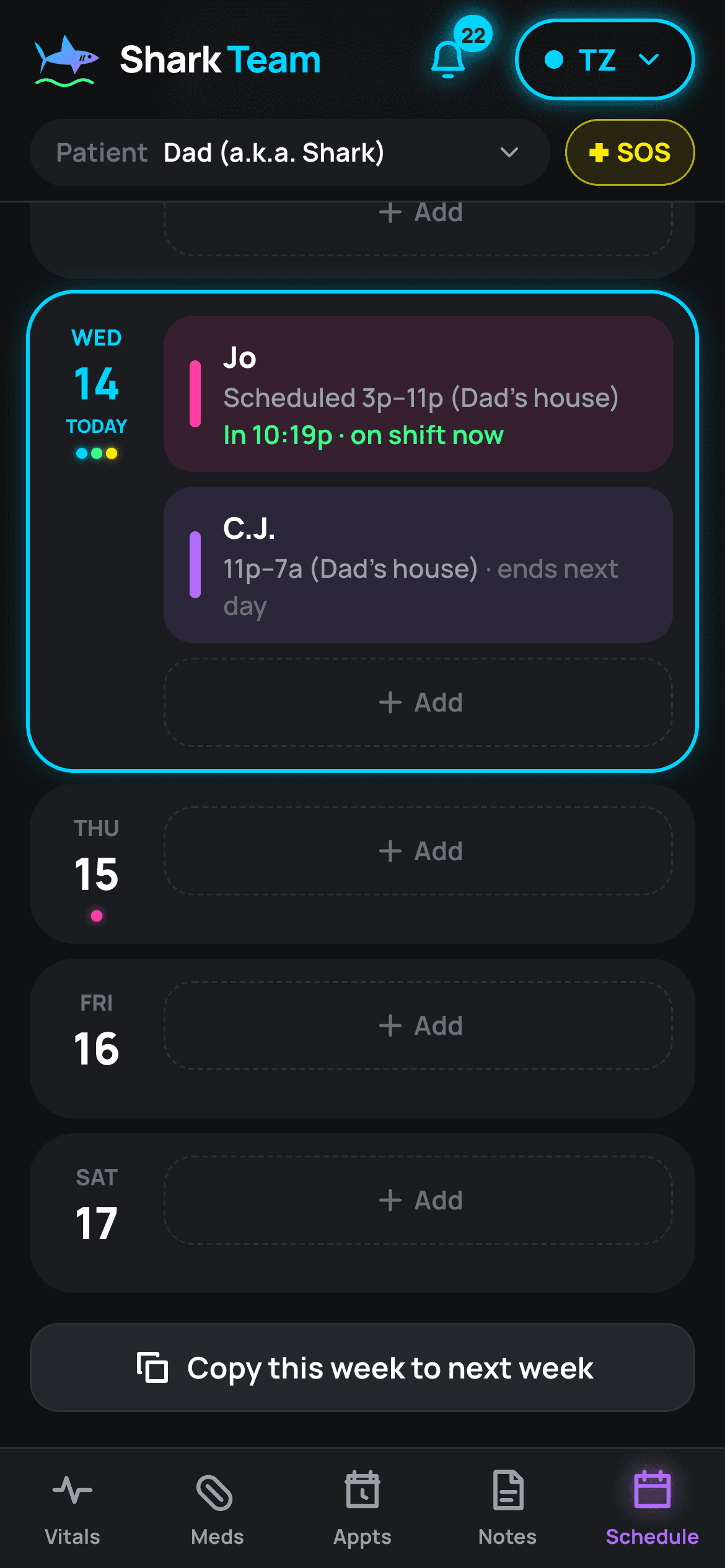
Build caregiver shifts with any hours
Add a shift, pick the caregiver and set the start and end times. Day shifts, overnights, 12-hour or 24-hour shifts all work. Caregivers get a reminder before their shift starts, and they're told if their shift changes.
Need someone but not sure who yet? Leave the shift open, and the Account Holder and Admins get an alert that nobody is assigned, so a gap doesn't go unnoticed. For help planning round-the-clock coverage, see how to organize a 24/7 home care schedule.
- Any hours, including overnights
- Shift reminders and change alerts for caregivers
- Open-shift alerts when nobody is assigned
GPS clock-in and clock-out
Save the places where care happens, like Dad's house. Caregivers who are allowed to clock themselves in can only do it when their phone is within 500 feet of that location. The Account Holder and Admins are notified when someone clocks in or out.
Forgot to clock out? Admins can fix a clock-in or clock-out time, and the change is recorded. Caregivers who don't clock themselves in can ask an Admin to do it for them.
- Clock-in only within 500 feet of the location
- Clock-in and clock-out alerts for the family
- Admins can fix a missed clock-out
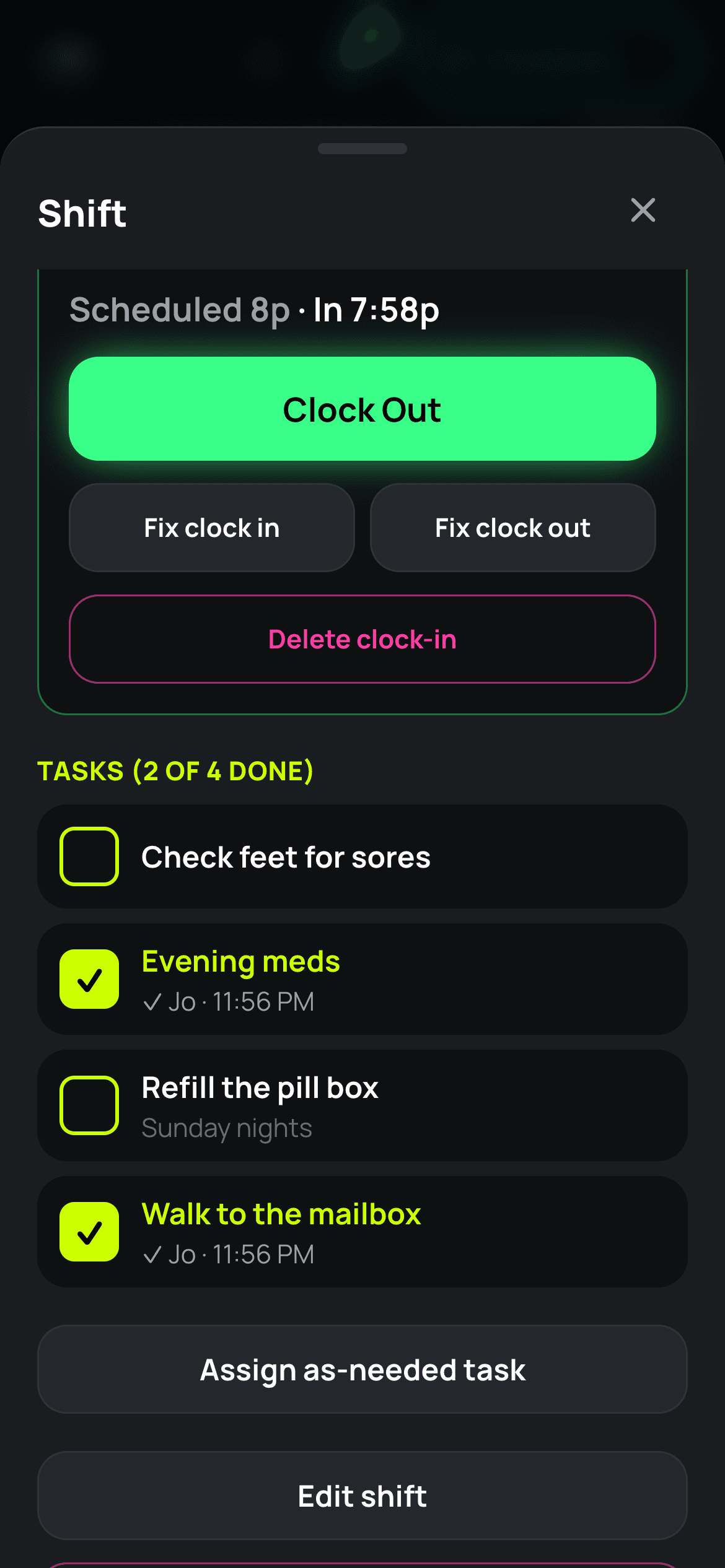
Shift handoffs: the next caregiver starts caught up
Before leaving, the caregiver writes a quick handoff: meds given, how the patient is doing, what's still left. The next caregiver sees it the moment they clock in, and the Account Holder and Admins can read it too.
No more phone calls between shifts or notes lost on the kitchen counter. Our shift handoff checklist covers what a good handoff includes.
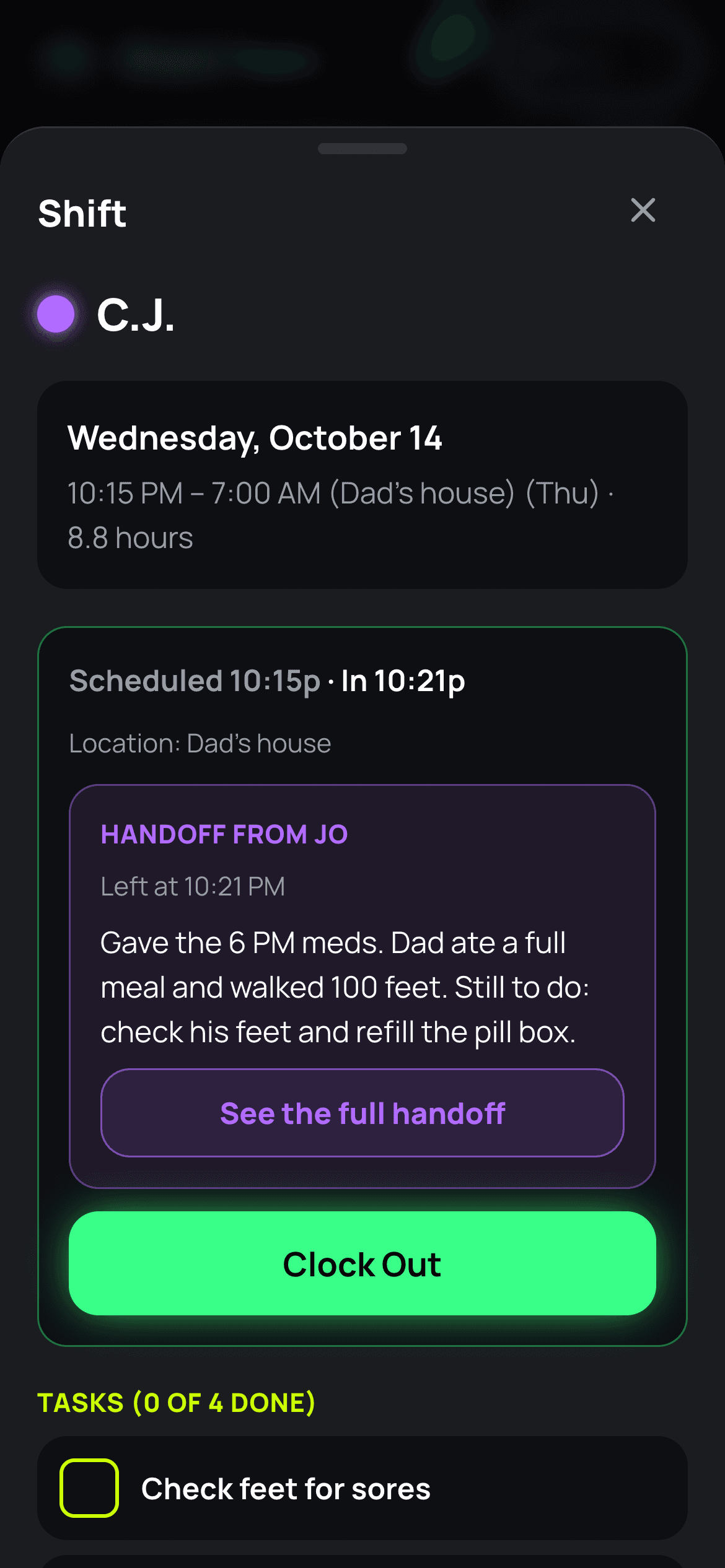
Tasks for every shift
Give each shift its own checklist: evening meds, a short walk, checking feet for sores, refilling the pill box. Whoever is on shift checks them off, and everyone can see what's done. If tasks are still open 30 minutes before the shift ends, the caregiver gets a reminder. Read more about care task checklists.
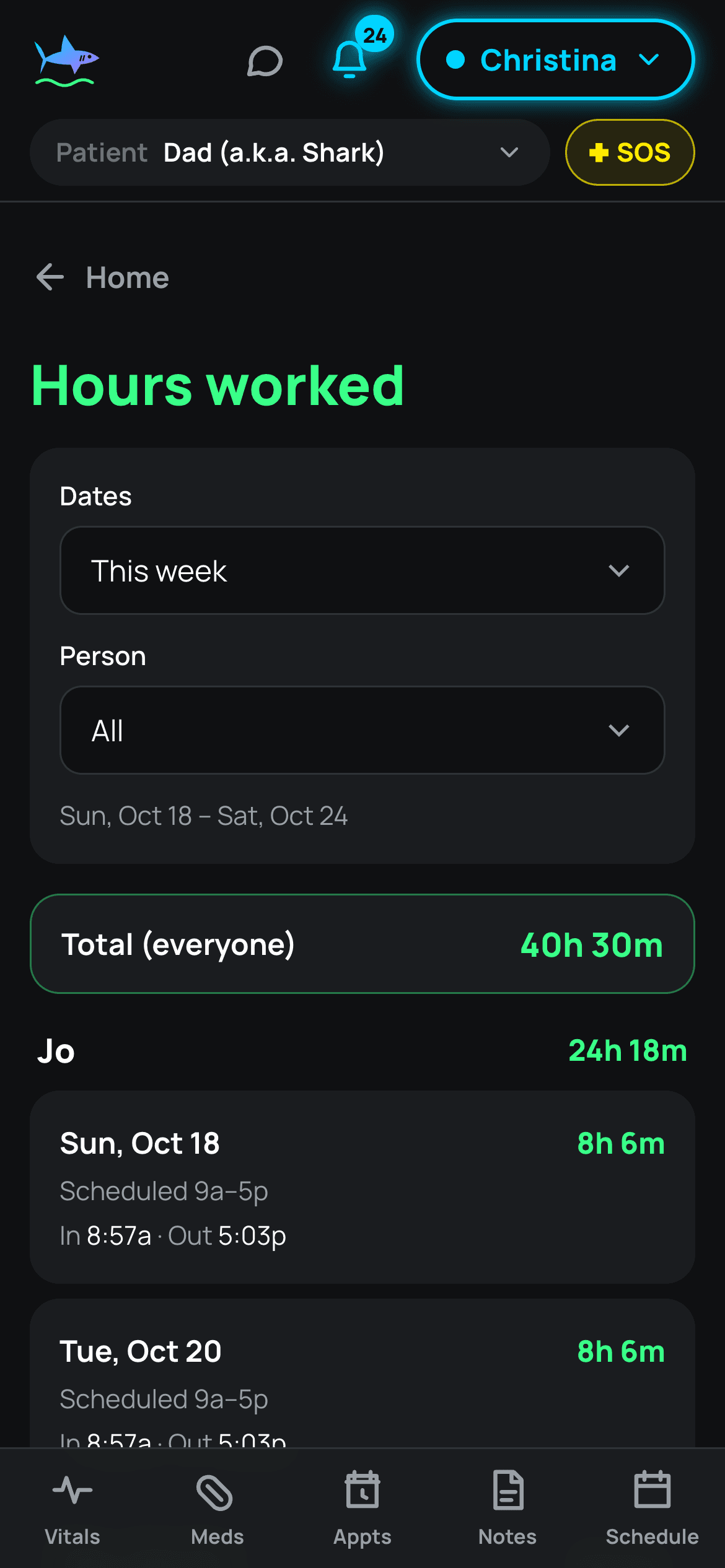
Hours worked for any dates
See hours worked by everyone, or by one person, for this week, last week or any dates you choose. Each shift shows its scheduled time and the actual clock-in and clock-out times.
The hours are a helpful record for your family. Shark Team isn't a payroll system and doesn't employ or manage caregivers, so check with an accountant or payroll service about paying caregivers.
Who needs a caregiver schedule
Families hiring private caregivers
Shifts, clock-in and hours without a separate scheduling app.
Siblings taking turns
Everyone knows whose day it is, and what happened on the last shift.
24/7 home care
Overnight and back-to-back shifts with handoffs at every change.
Family managing from afar
See who's on shift and that they've arrived, from anywhere.
Private by design
Each patient's information is shared only with the people you invite, and each role sees only what it should. We never sell your data, there are no ads, and there's no tracking. Lock-screen notifications never show readings or message text. Read our privacy policy.
Not medical advice
Shark Team helps you keep good records and share them. It doesn't give medical advice, diagnose anything or replace your doctor, nurse or pharmacist. In an emergency, call 911.
Caregiver schedule questions
Is the caregiver schedule free?
Early access is free.
How does GPS clock-in work?
You save the care location once. A caregiver who is allowed to clock themselves in can only do it when their phone is within 500 feet of that location. Location is checked at clock-in and clock-out, not tracked all day.
Can I use the hours for payroll?
The hours are a helpful log for your family, but Shark Team isn't a payroll system and doesn't hire, employ or supervise caregivers. Talk to an accountant or payroll service about paying caregivers.
Do caregivers need their own accounts?
Yes. Each caregiver gets their own login through the invite link you send, so every clock-in, task and log shows who did it.
What happens if a caregiver forgets to clock out?
An Admin or the Account Holder can fix the clock-out time. The change is recorded, so the history stays clear.
Get your family's care on the same page.
Early access is free. We'll set you up personally.