EMERGENCY INFO CARD
An emergency medical card with everything the ER asks for
In the ER, the questions come fast: allergies? Current medications? Medical conditions? Who's the doctor? It's hard to remember it all when you're scared, and harder still if you're not the one who usually handles the meds.
Shark Team keeps all of it on one emergency info card. Anyone on the team can open it with one tap on the SOS button, it works with no signal, and it shares as a PDF.
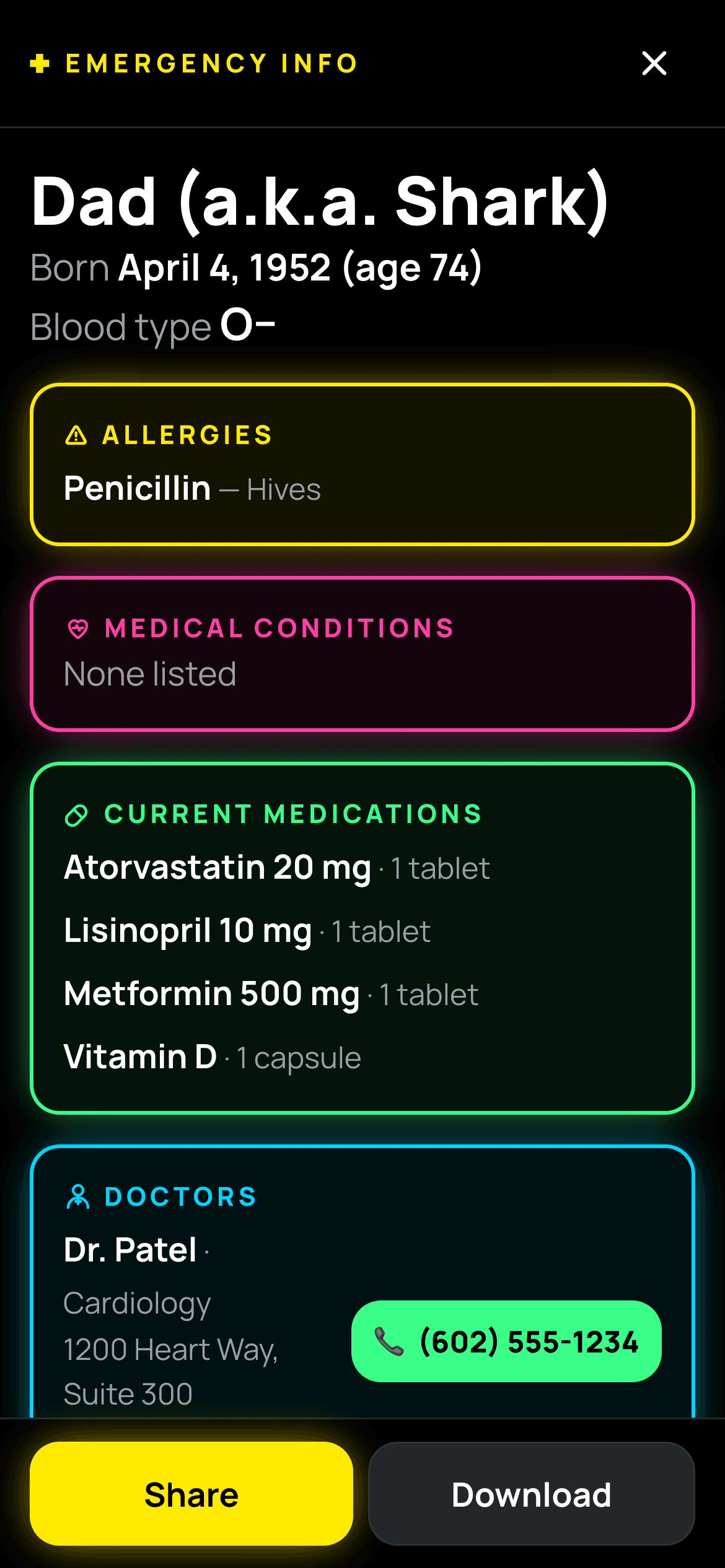
What's on the emergency medical information card
The card pulls together what ER staff and paramedics usually ask for:
- Name, date of birth and blood type
- Allergies, shown at the top where they can't be missed
- Medical conditions
- Current medications from the med list
- Doctors, with phone numbers
- Surgeries and procedures
- Emergency contacts
- Insurance
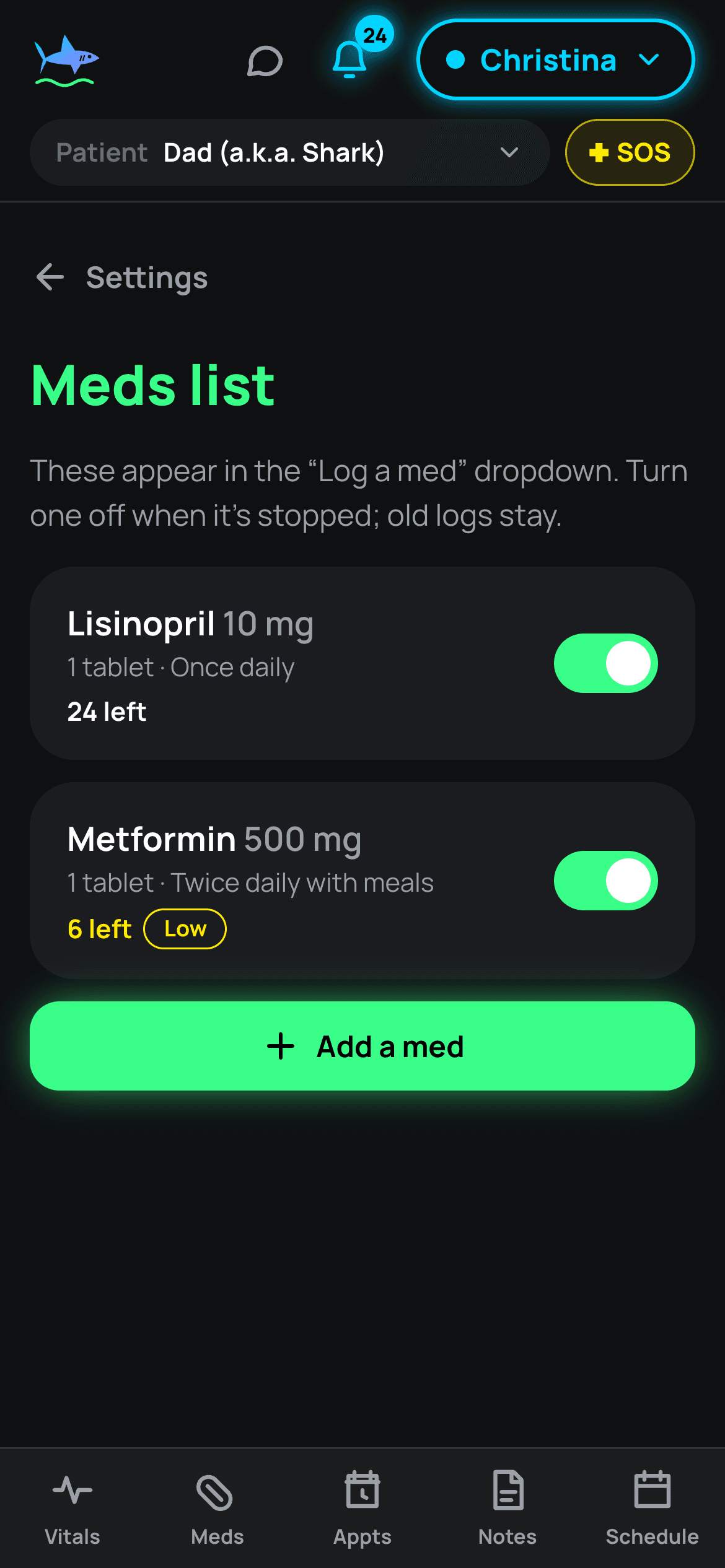
Much of it fills in from what you already keep in Shark Team. Stop a medication on the med list, and it leaves the card too. Our guide on how to create an emergency medical information card walks through each section.
One tap on the SOS button, even with no signal
The yellow SOS button sits at the top of every screen, for everyone on the team, including Viewers. One tap opens the card in large, easy-to-read text that you can hand straight to a nurse.
Hospitals and ambulances often have poor reception. The card is saved on the phone, so it opens with no signal at all.
- One tap from any screen
- Large text that's easy to hand over
- Opens with no signal
Share the card as a PDF
Share the card as a PDF by text, email or AirDrop, so a new specialist, a hospital or a family member flying in has the same information. It's also handy to print a copy for the fridge or a wallet.
Kept current by the care you already log
The card is only useful if it's right. Because current medications come from the med list and doctors come from your saved doctors, it stays up to date as you go, instead of being a paper card that was last updated three years ago.
When an emergency medical card helps most
The card earns its keep in the moments when nobody has time to look things up: a fall at home, a sudden change during a caregiver's shift, a trip to urgent care while on vacation, or the first visit with a new specialist. It also helps when the person who usually handles care isn't the one there. A babysitter, a new caregiver or a cousin who drove Grandma to the hospital can hand over the same accurate information as the family member who knows it by heart.
Take a minute now to check that the allergies, conditions and emergency contacts are filled in. It's the kind of thing that's easy to put off, and the kind you'll be grateful for later.
Doctors and contacts, one tap away
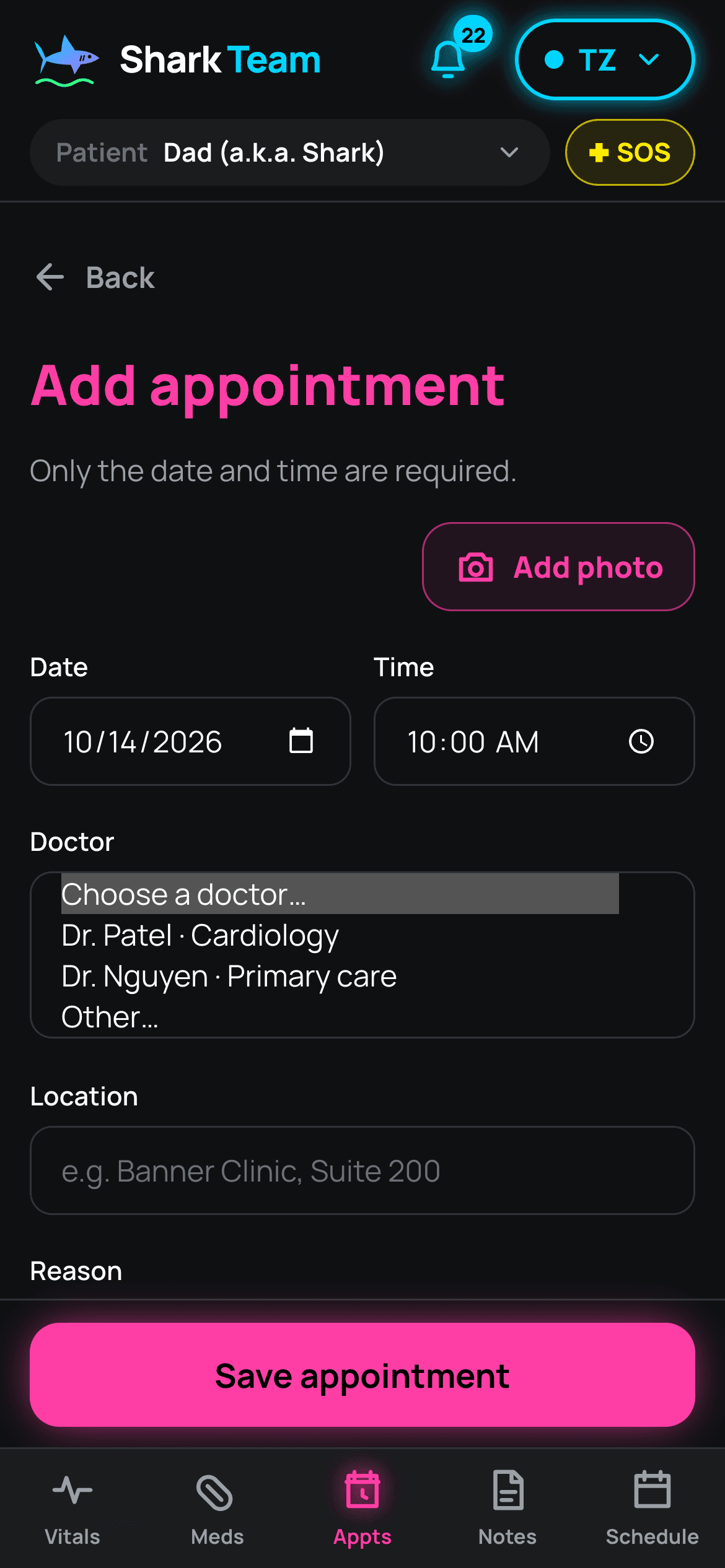
Saved doctors appear on the card with their phone numbers and specialties, so the ER can reach the cardiologist without anyone hunting through a phone. Emergency contacts are listed with their relationship to the patient.
Who needs an emergency medical card
Aging parents
Especially with several conditions, doctors and meds.
People with serious allergies
Allergies shown first, for anyone who needs to know.
Kids with health conditions
For babysitters, grandparents and school trips.
Caregivers
Every caregiver can open it in an emergency, even if they're new.
Private by design
Each patient's information is shared only with the people you invite, and each role sees only what it should. We never sell your data, there are no ads, and there's no tracking. Lock-screen notifications never show readings or message text. Read our privacy policy.
Not medical advice
Shark Team helps you keep good records and share them. It doesn't give medical advice, diagnose anything or replace your doctor, nurse or pharmacist. In an emergency, call 911.
Emergency medical card questions
Is the emergency card free?
Early access is free.
Who can open the emergency card?
Everyone on that patient's team, including Viewers, with one tap on the SOS button. Nobody outside the team can see it unless you share the PDF.
Does it work without internet?
Yes. The card is saved on the phone, so it opens even with no signal.
Can I print it?
Yes. Share it as a PDF and print it, for example for the fridge, a wallet or a hospital bag.
Does Shark Team call 911?
No. The card is information to share with emergency staff. In an emergency, call 911 first.
Get your family's care on the same page.
Early access is free. We'll set you up personally.