PRESS KIT
Shark Team press kit
Everything you need to write about Shark Team: a short description, our story, quick facts, logos, real app screenshots and the tour video. Questions? Email support@sharkteam.app.
About Shark Team
Shark Team is a health tracker for families and caregivers. It keeps vitals, meds and appointments in one app, with reminders and easy exports for the doctor. People use it to track their own health, to keep a whole household on track with a profile for each person, or to run a parent's care with family and paid caregivers, including shifts, tasks and handoffs.
Each person's information is private and shared only with the people they invite. Early access is free.
The founder story
Shark Team started because of our dad's first stroke in 2018. For eight years our family kept his care together with group texts and a shared phone calendar that cluttered everyone's phone: every dose, every doctor visit, every caregiver shift.
TZ Alwan, the founder of Shark Team, built the app our family needed: one place where everyone can see what happened and what's next. In the app and on this site, Dad goes by his nickname, “Dad (a.k.a. Shark).”
Quick facts
- What it is
- A health tracker for vitals, meds and appointments, with notes, a caregiver schedule, task checklists, supplies and an emergency medical card.
- Who it's for
- People tracking their own health, parents and households tracking the whole family, and families and care teams with caregivers.
- Where it works
- A web app for iPhone, Android, tablets and computers. Add it to the home screen; no app store needed.
- Price
- Early access is free.
- Privacy
- No ads, no selling data and no tracking. Data is stored in the United States and encrypted.
- Founder
- TZ Alwan, who built it after coordinating our dad's care since his first stroke in 2018.
- Press contact
- support@sharkteam.app
Logos
Please use the logo as is: don't change its colors, shape or proportions.






App screenshots
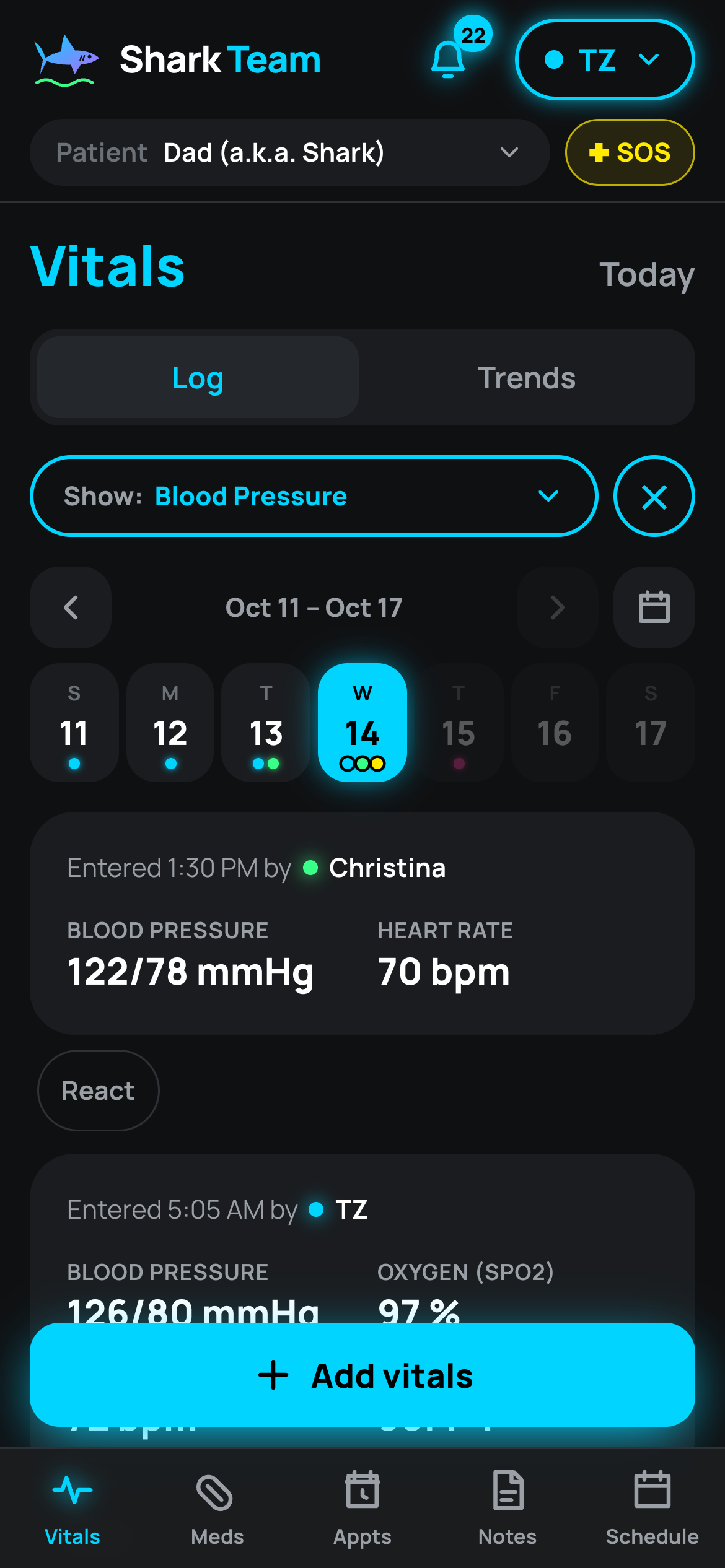
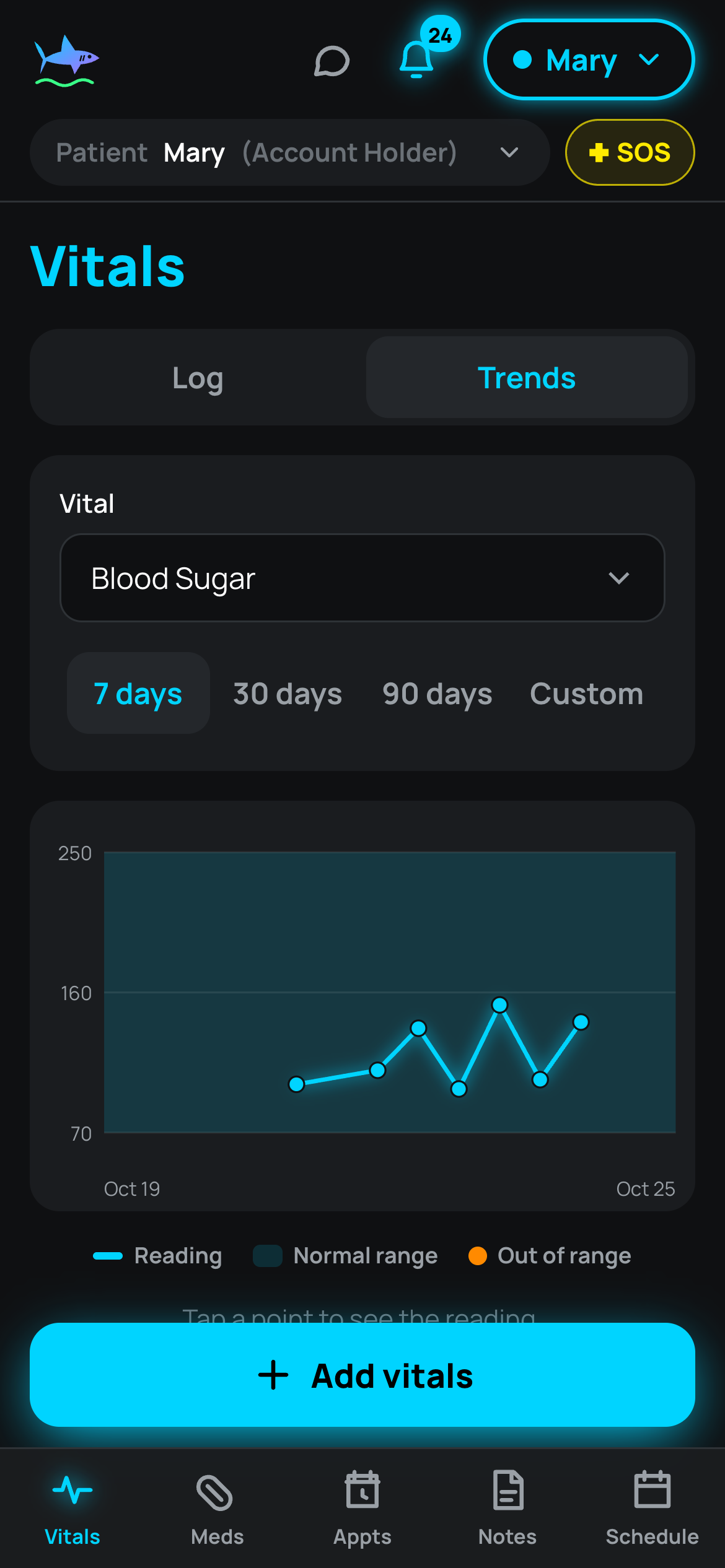
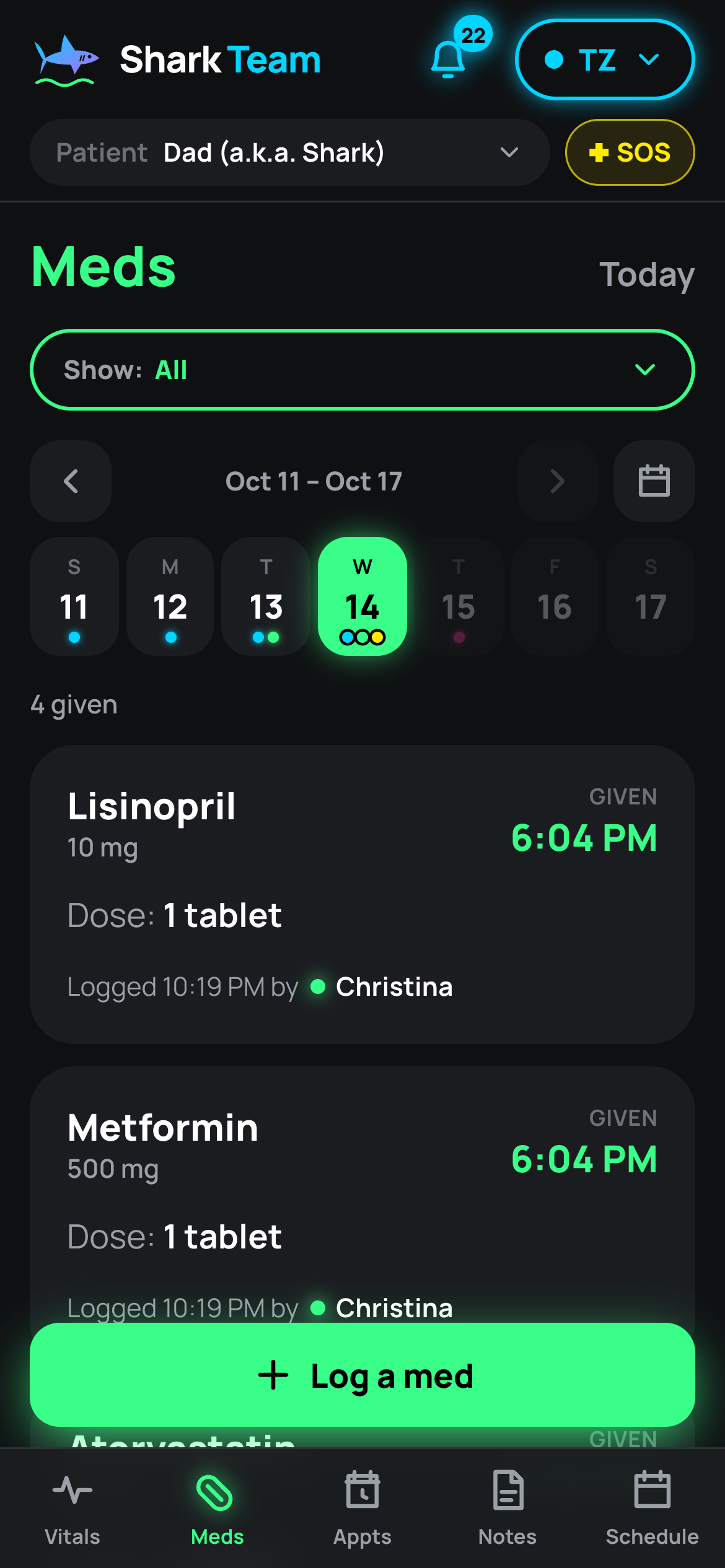
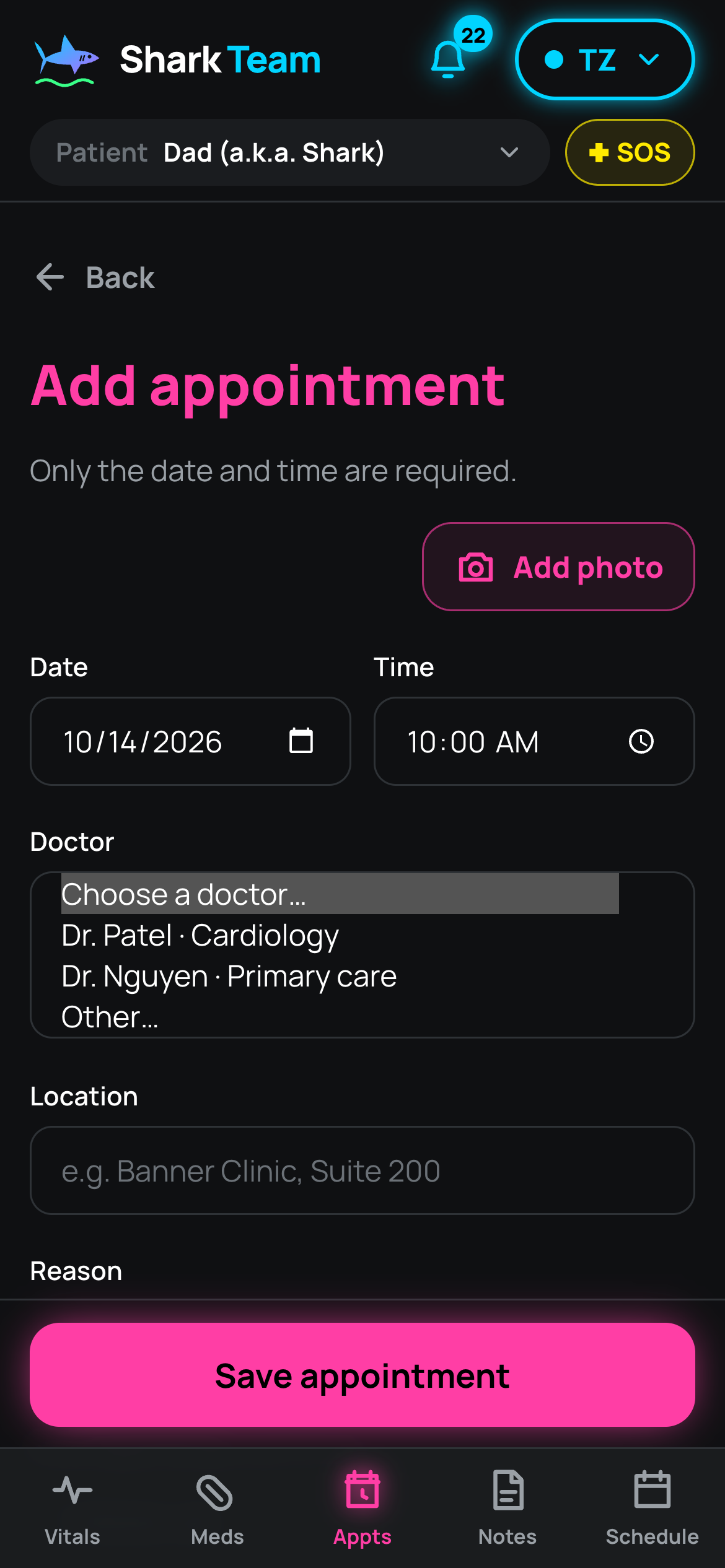
Real screenshots from the app, with sample names only. Full size: 1170 × 2532 PNG.
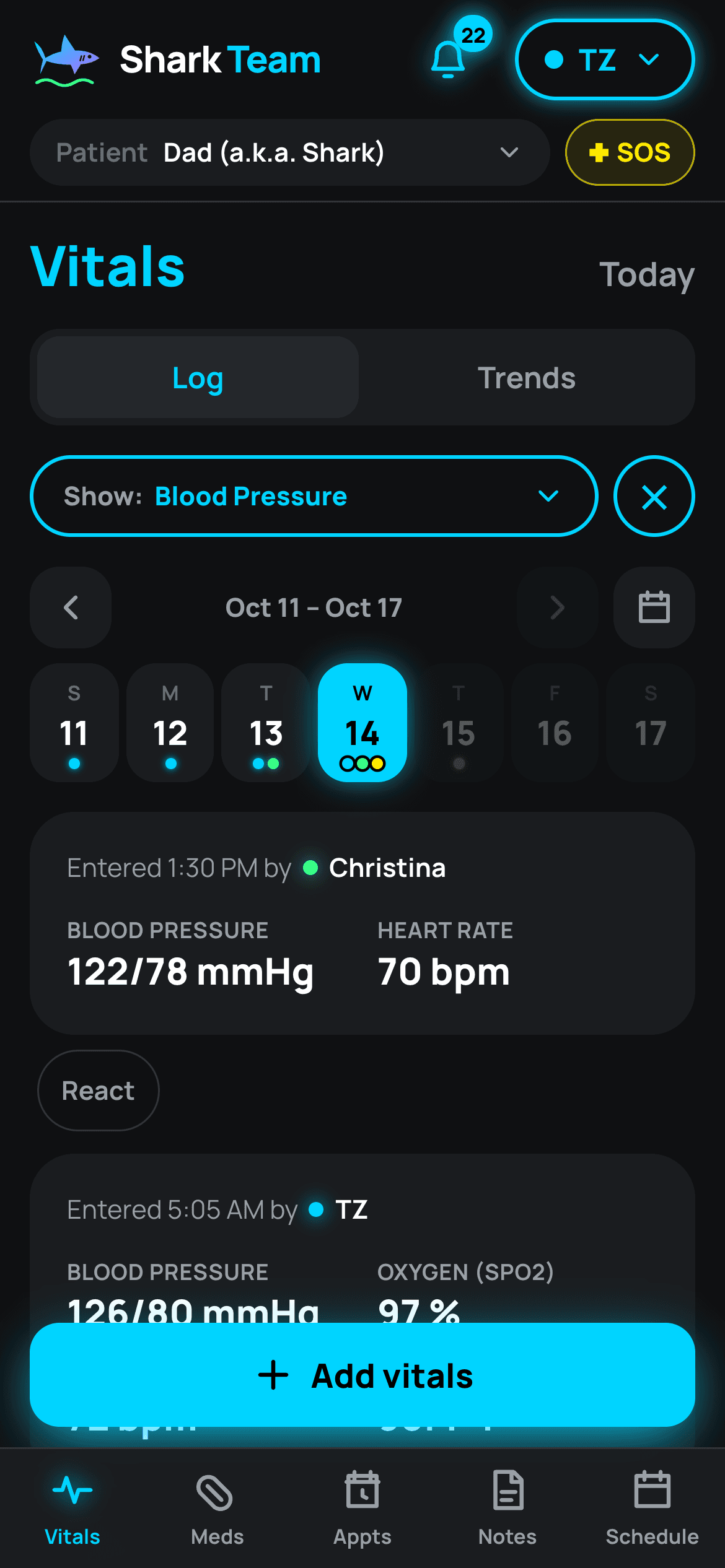
Vitals: blood pressure readings with who took each one and when
PNG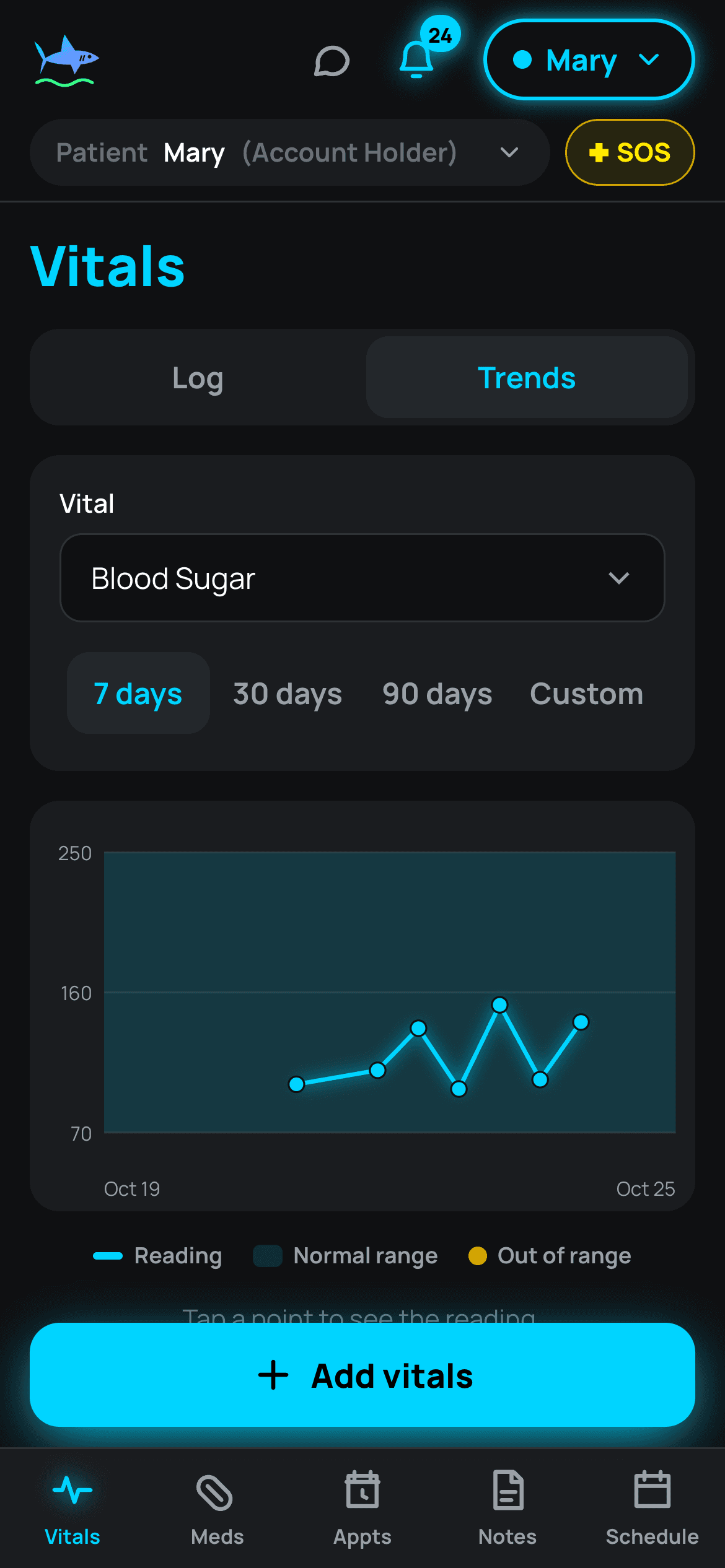
Vitals: a 7-day blood sugar trend
PNG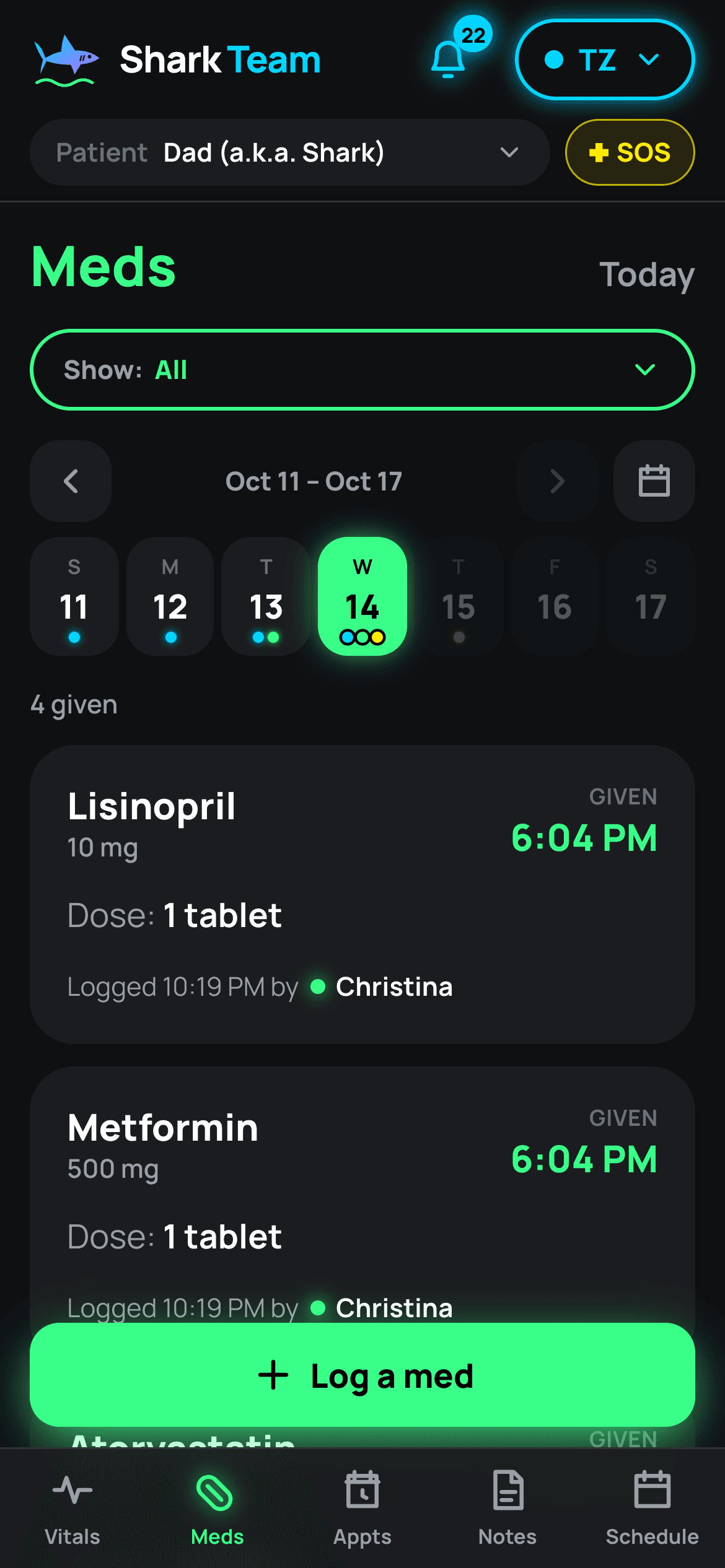
Meds: today's doses with the time and who gave them
PNG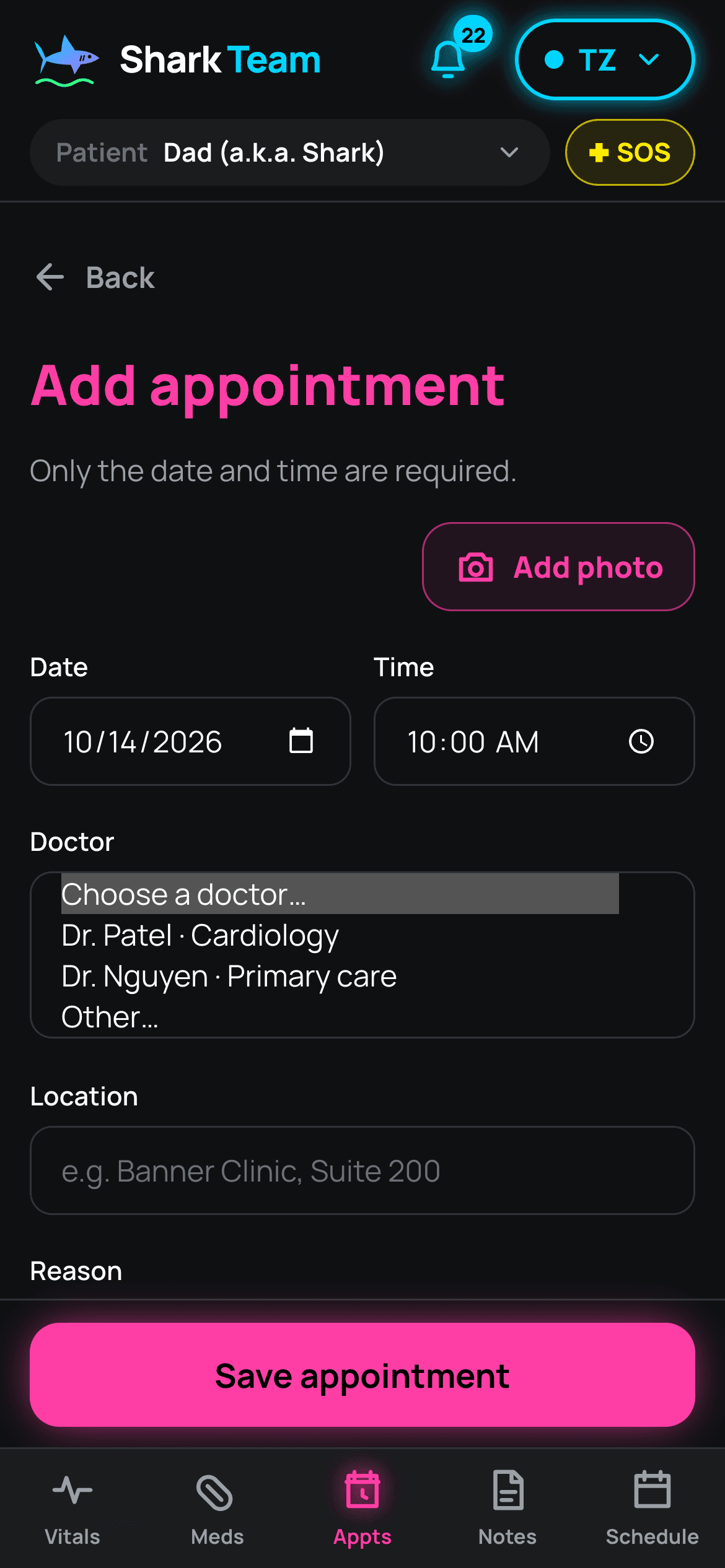
Appointments: adding a visit with saved doctors
PNG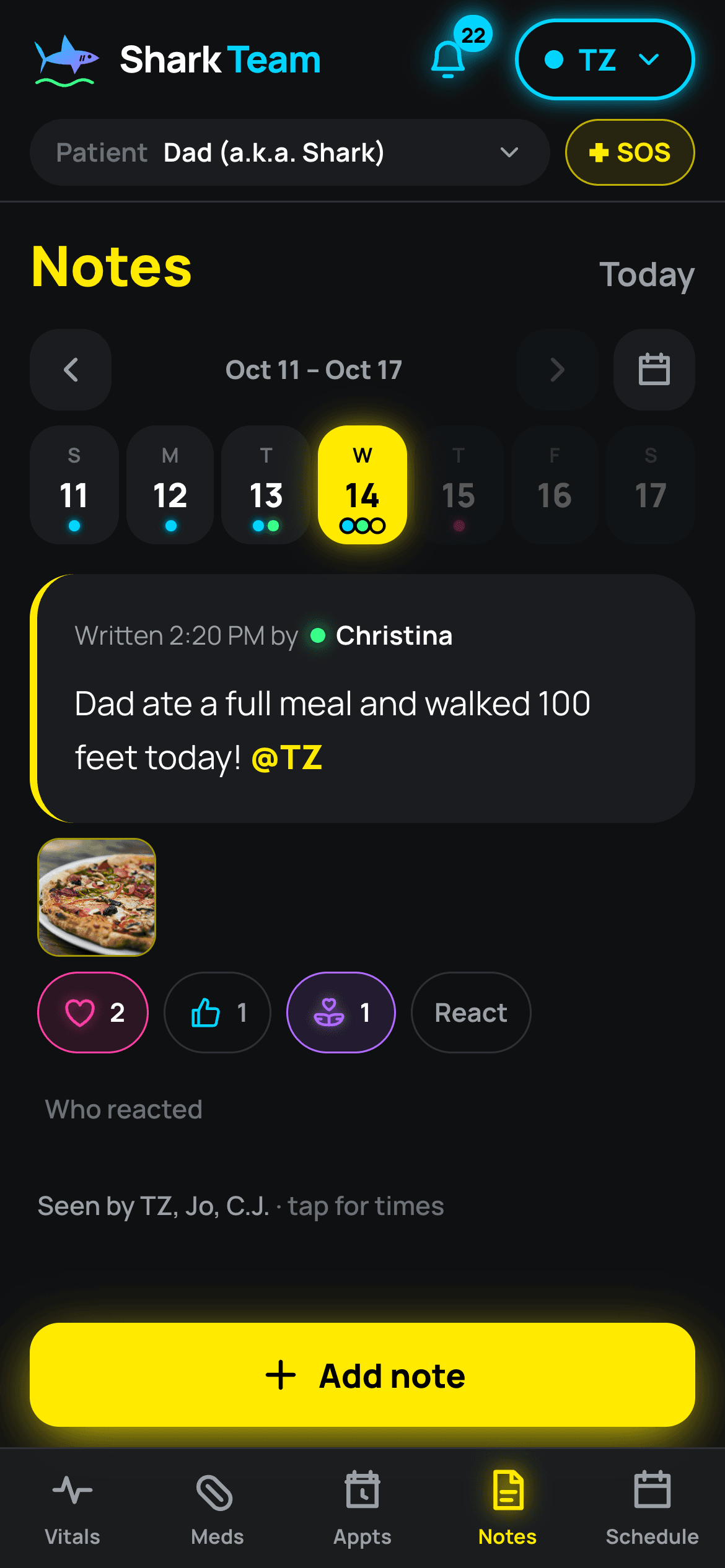
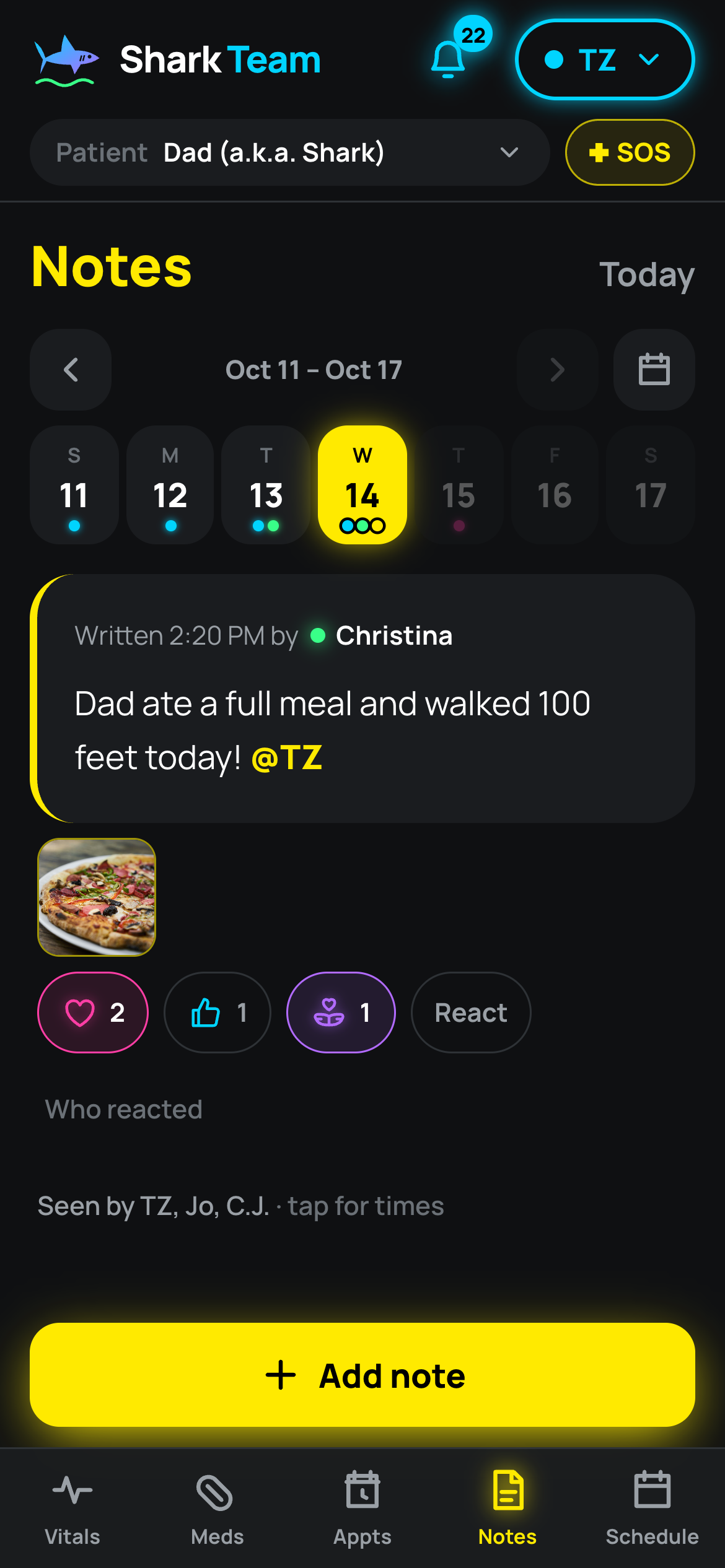
Notes: a family update with a photo, an @mention and reactions
PNG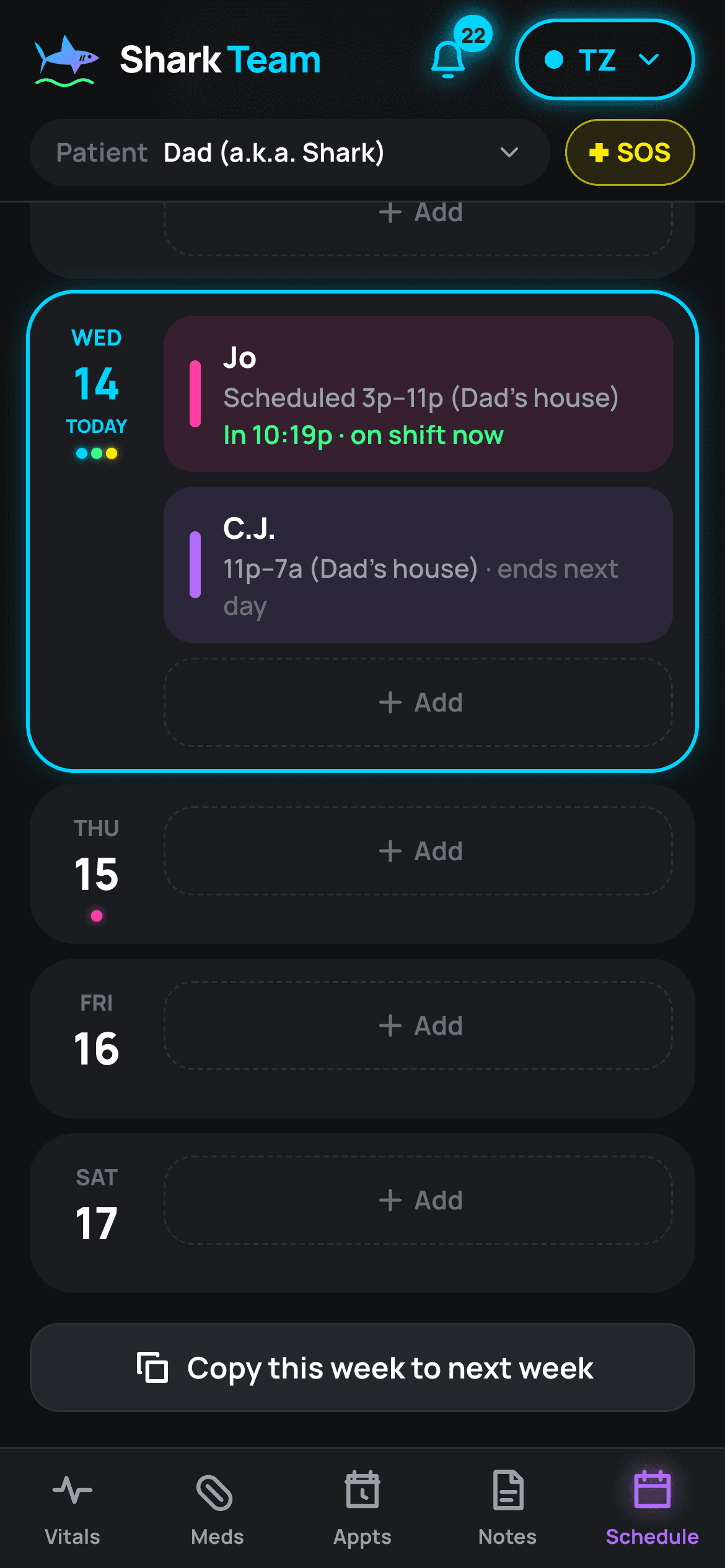
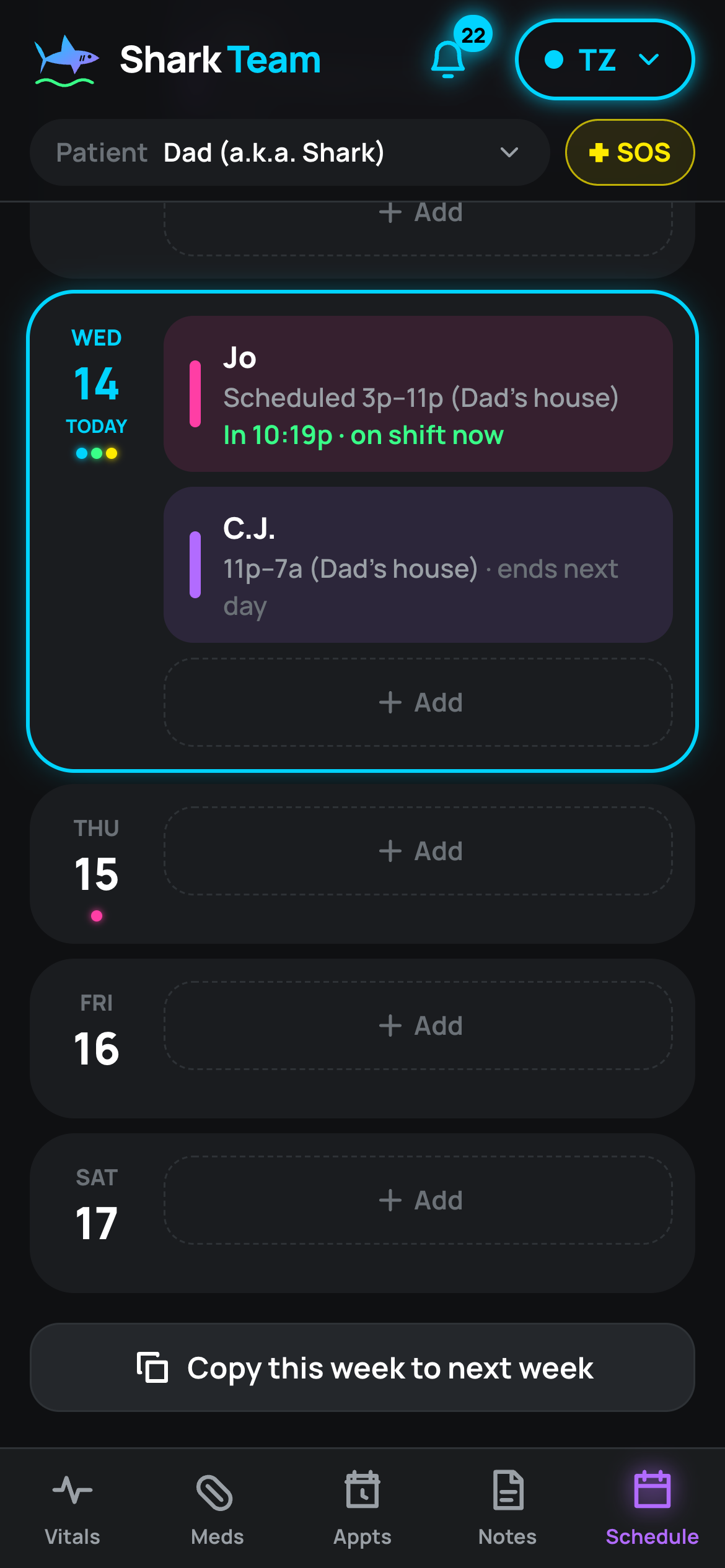
Schedule: a caregiver on shift now and the next shift
PNG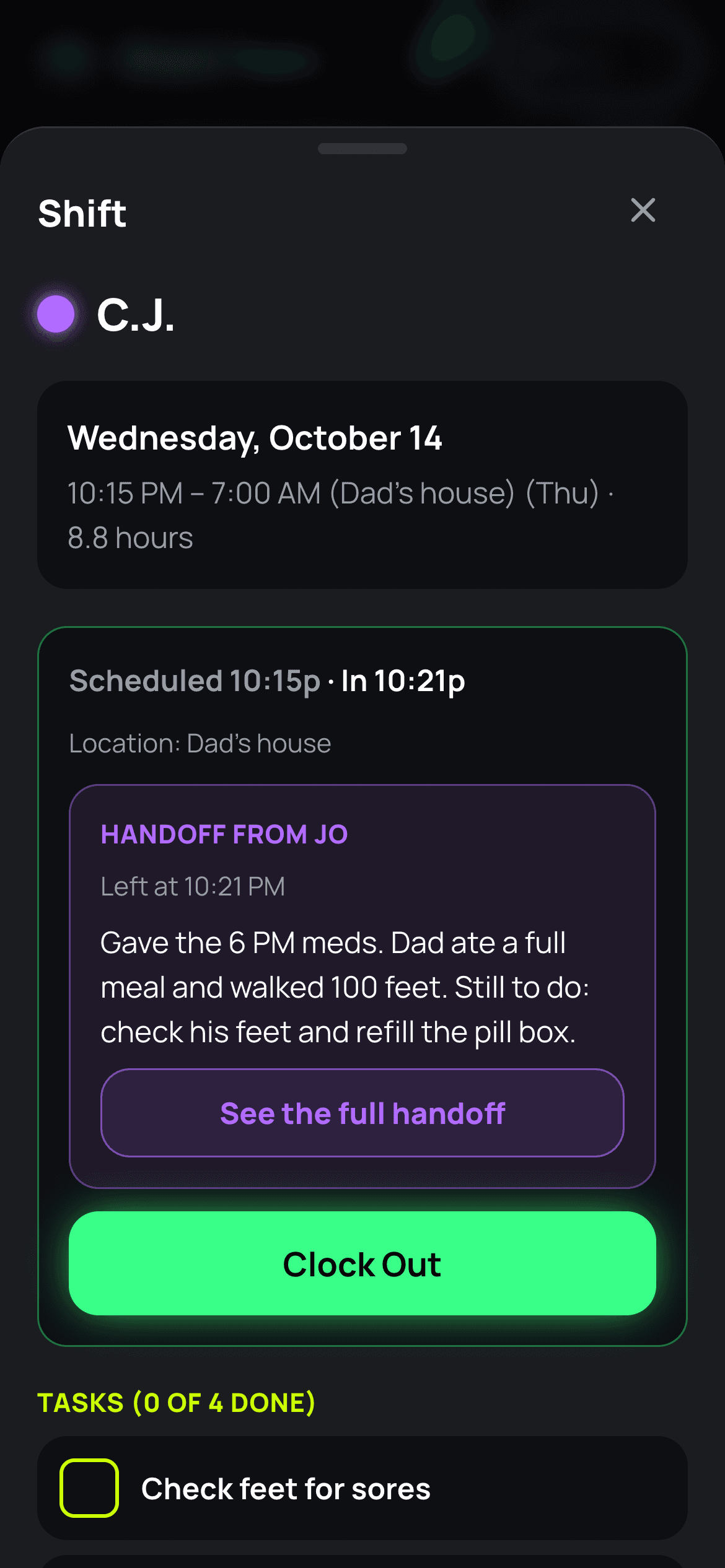
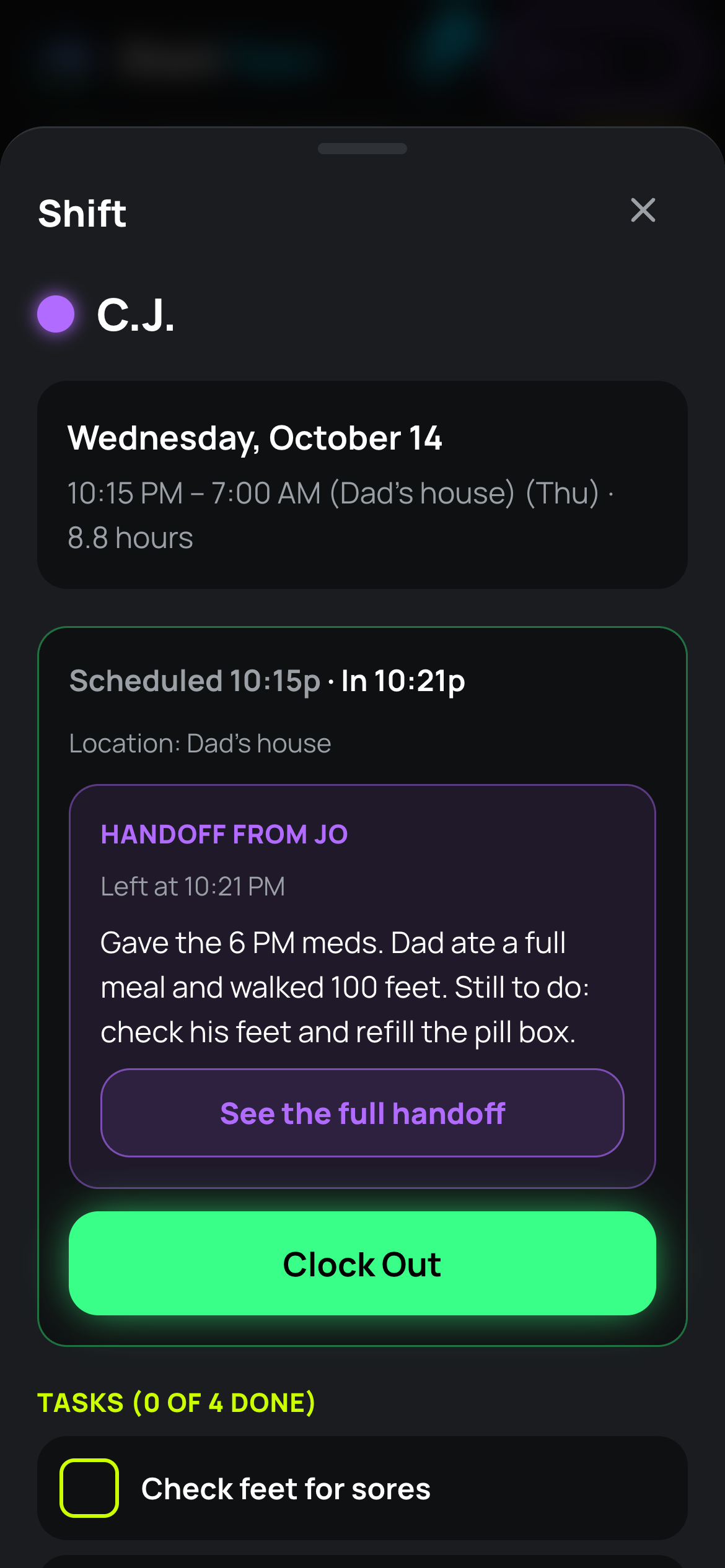
Schedule: the next caregiver sees the shift handoff at clock-in
PNG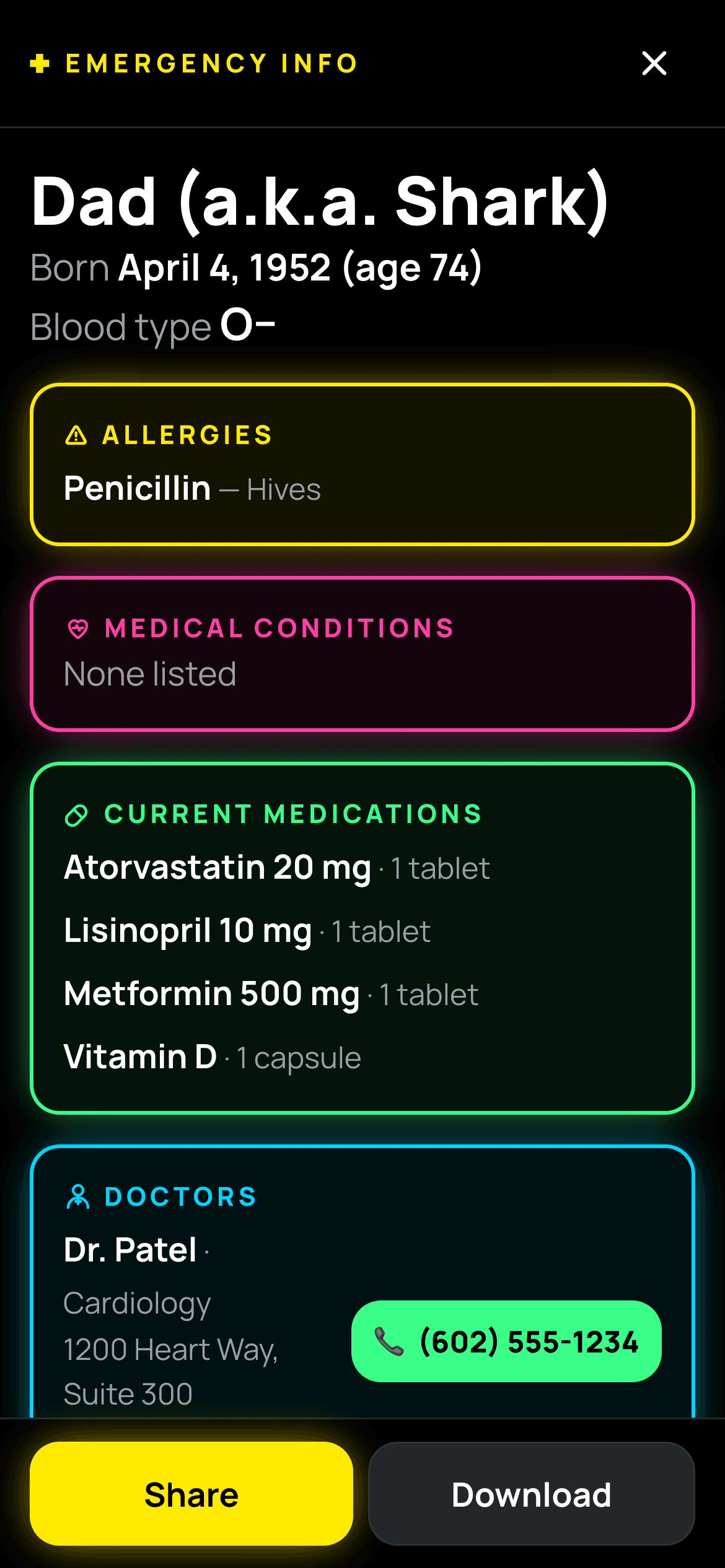
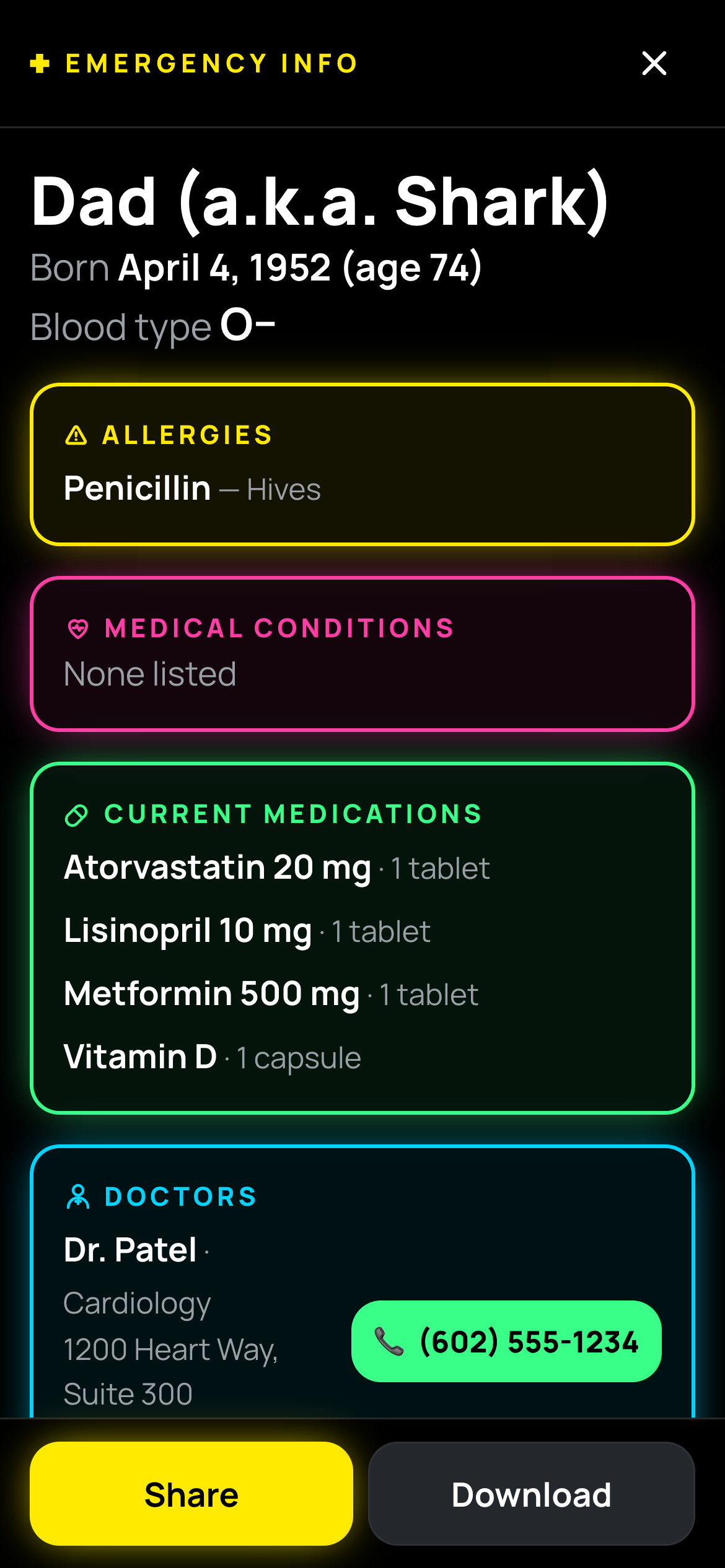
SOS: the emergency info card with allergies, conditions, meds and doctors
PNG
Tour video
A 1-minute walk through the real app with its built-in tour: the home screen, vitals, meds, appointments, notes, the schedule and the menu. Vertical (9:16), no sound, sample names only.
Download the video (MP4, 2.5 MB)
Press contact: support@sharkteam.app. We read every message. More: our story.
Get your family's care on the same page.
Early access is free. We'll set you up personally.