MEDICATION TRACKER
A medication tracker the whole family can share
“Did anyone give Dad his evening pills?” If that question gets asked in your family, you need a shared medication log. Shark Team records every dose, who gave it and when, and whether it was given, refused or skipped.
Reminders go out at the times you choose, and you'll know before a bottle runs low.
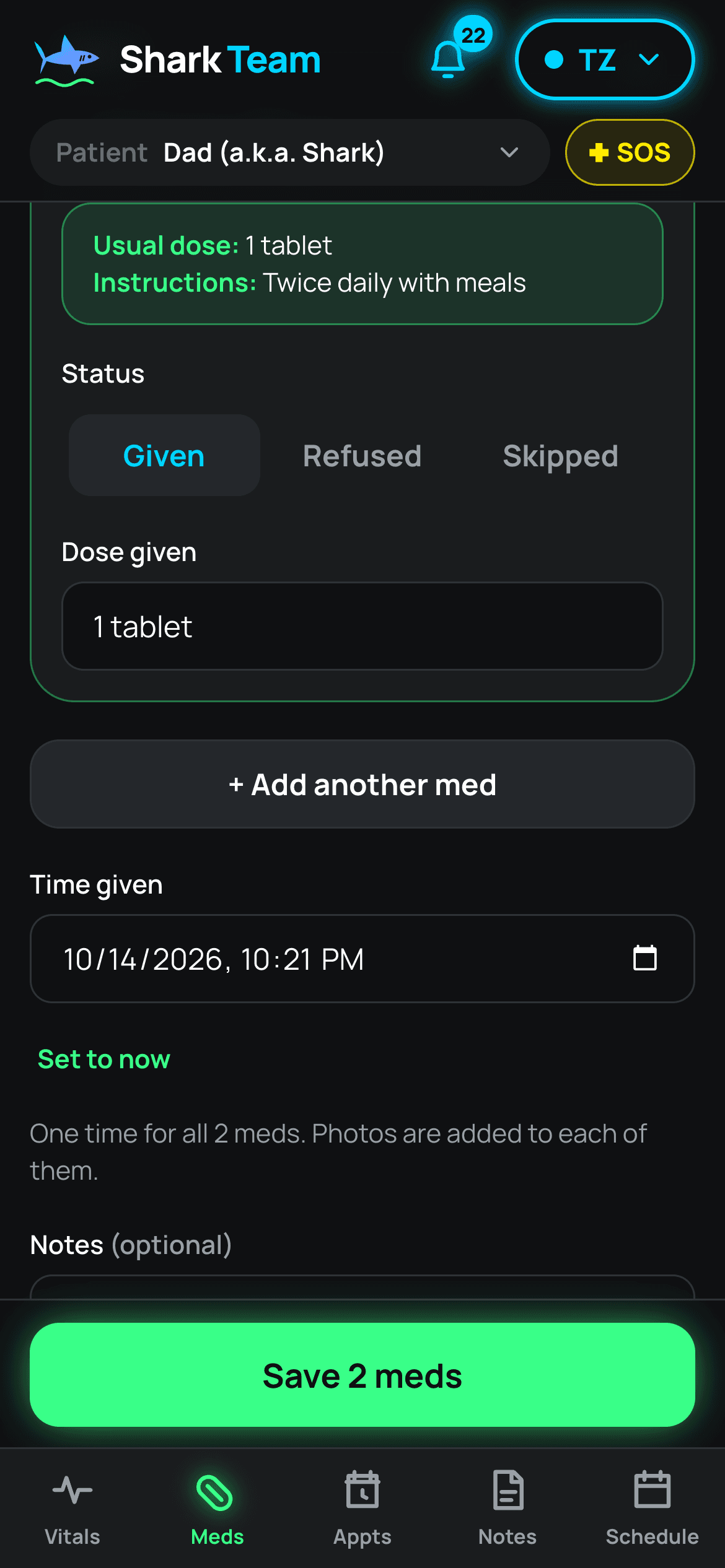
Log every dose: given, refused or skipped
Pick the med, check the dose and tap save. Giving several at once? Tap “Add another med” and log them together. Each med keeps its own dose and status, and the team gets one notification instead of a pile of them.
A refused or skipped dose matters, so it's recorded too, not just left blank. The Account Holder and Admins are told right away, so someone can follow up. You can add a note and a photo of the bottle or label when it helps.
- Given, refused or skipped for each med
- Log several meds in one go
- Photos of bottles and labels
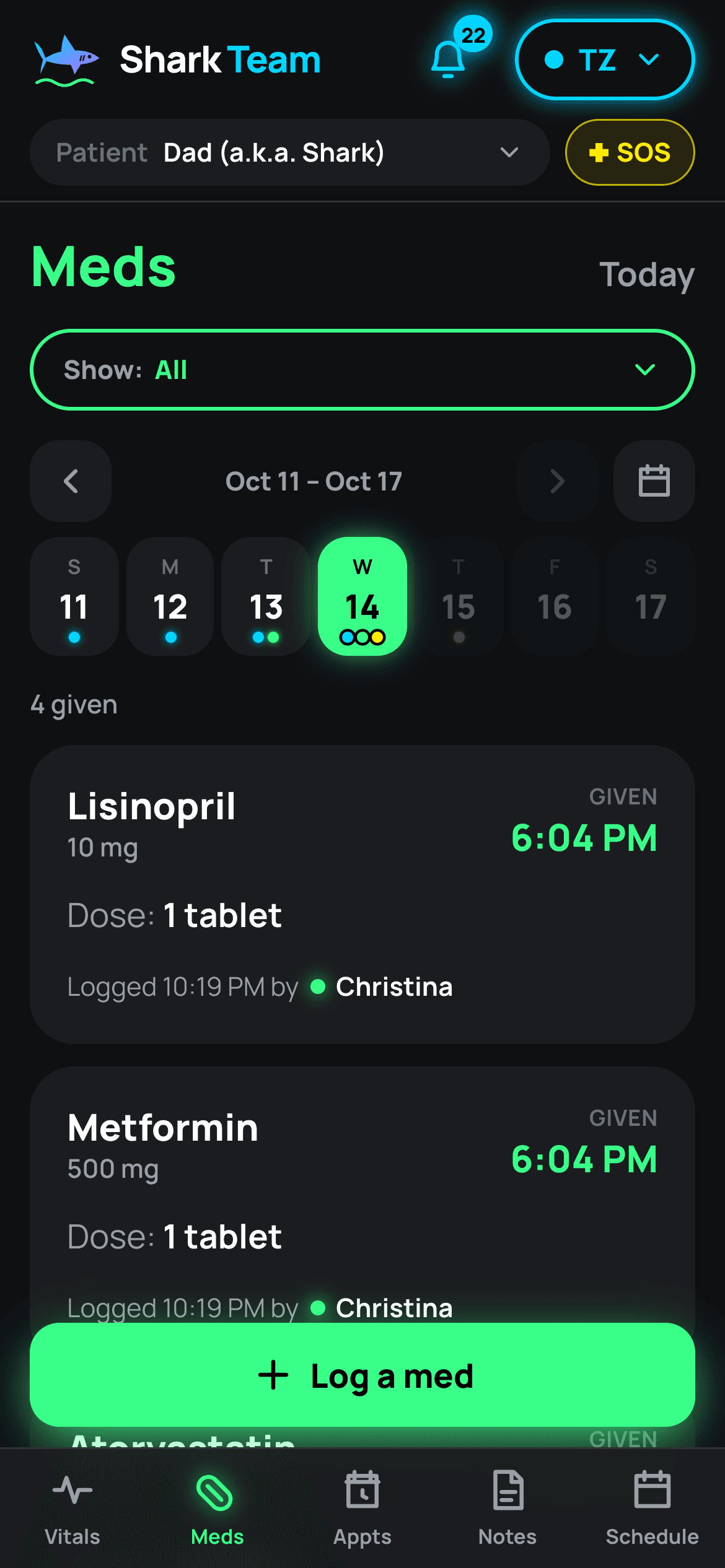
Medication reminders and missed-dose alerts
Set reminder times for each med, on every day or only certain days. Reminders go to the Account Holder, the Admins, and whichever caregiver is on shift at that time. If a dose still isn't logged, the Account Holder and Admins get a missed-dose alert.
For as-needed meds, set the minimum hours between doses. If someone tries to log one too soon, Shark Team warns them first, which helps when several people are giving meds on the same day.
- Reminder times for any day of the week
- Missed-dose alerts to the people in charge
- A warning when an as-needed dose is too soon
Refill alerts before you run out
Turn on supply tracking for a med and enter how many you have and how many each dose uses. Every dose logged as given counts down automatically. When the count drops below the number you pick, the med is marked low and the Account Holder and Admins get a refill alert.
Picked up a refill? Tap Refill, enter the amount added, and the count is updated. For gloves, test strips and other care supplies, use Supplies.
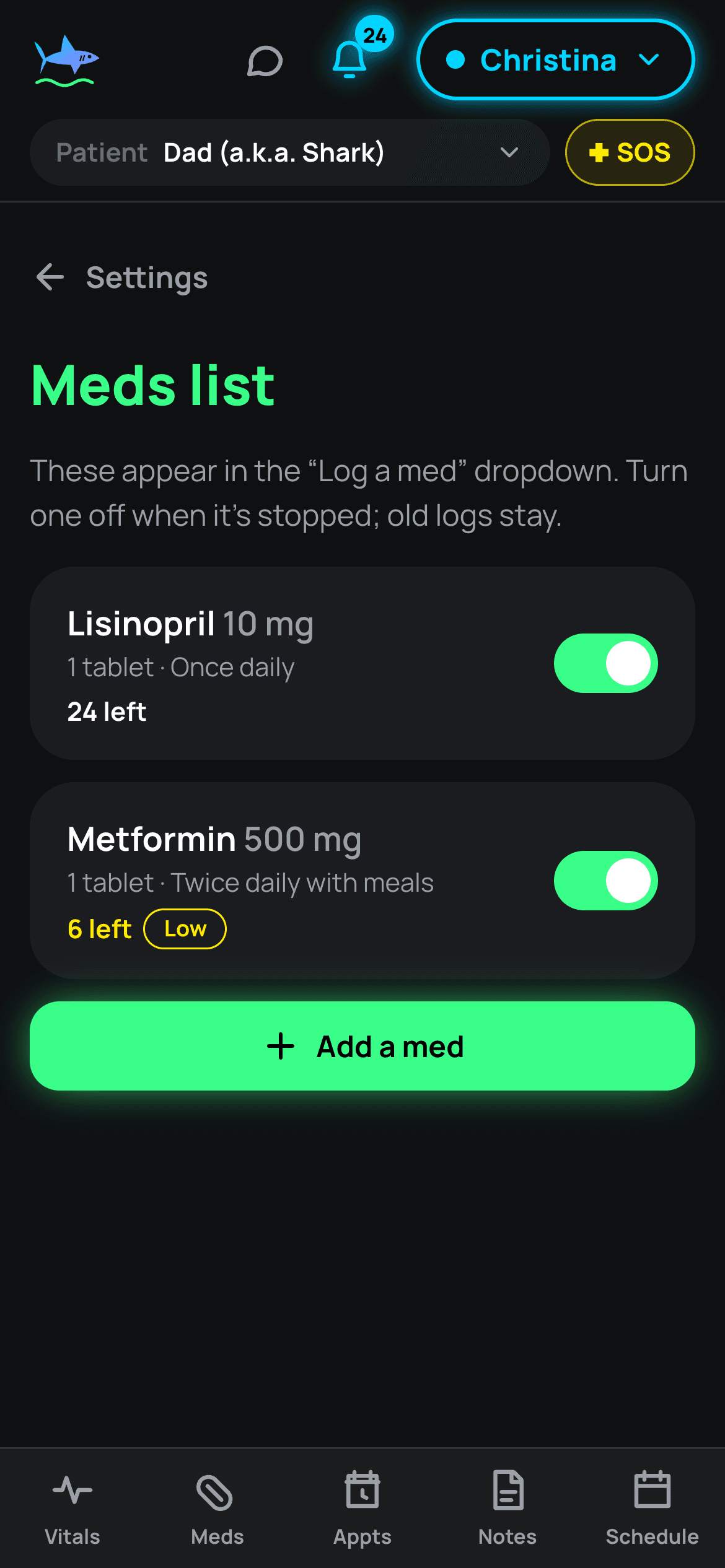
Keep the med list current, and share it with the doctor
The med list holds each medication's name, strength, usual dose and instructions. When a med is stopped, turn it off: it leaves the list but its history stays. Current meds also appear on the emergency info card so they're ready for the ER.
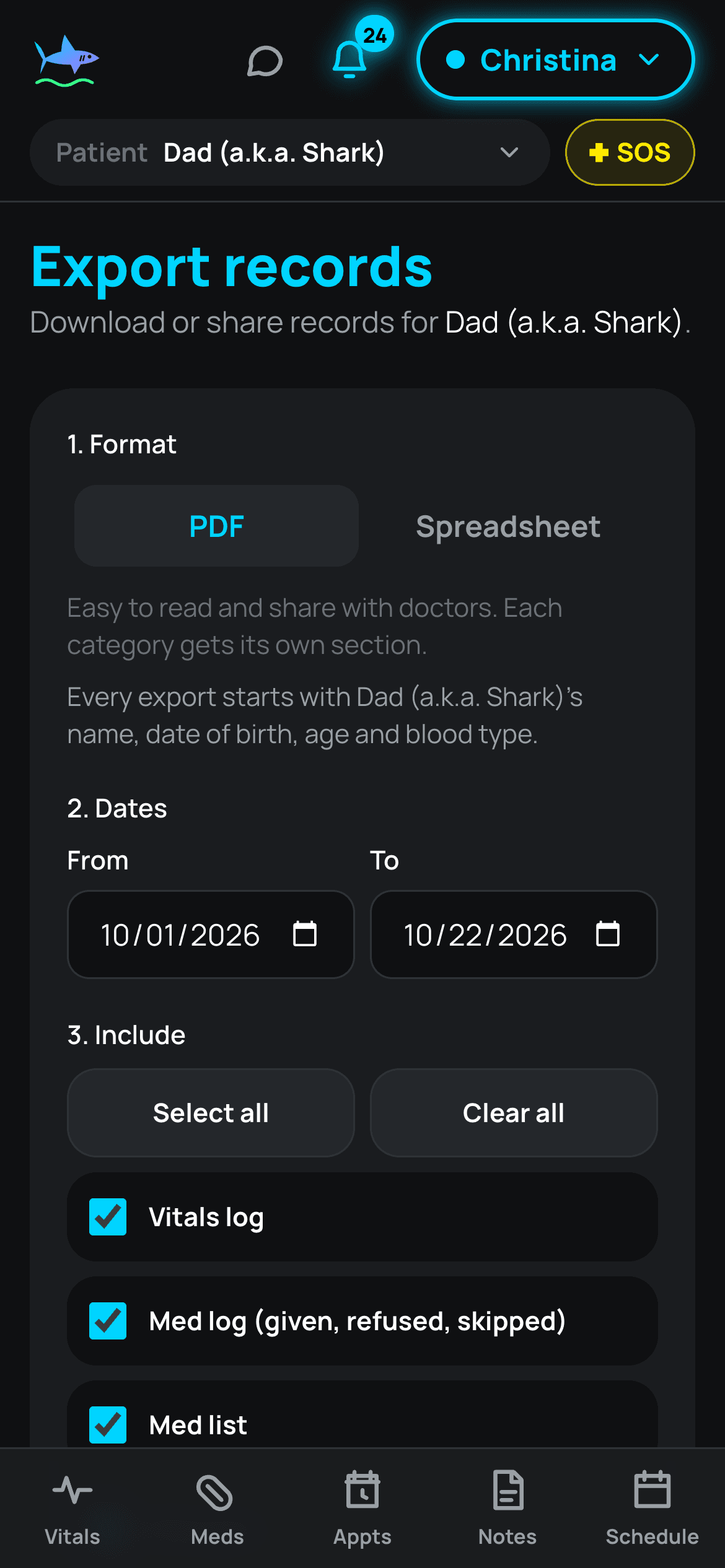
Before an appointment, export the med log and med list as a clean PDF or a spreadsheet, for exactly the dates you choose. It's much easier for a doctor to read than a stack of notes.
Who uses a shared medication log
Adult children
Tracking a parent's meds with siblings, so everyone knows what was given.
Paid caregivers
Logging doses during their shift, with reminders so nothing is missed.
Parents
Keeping track of a child's meds, especially when two parents share the job. See the kids medication tracker.
People managing their own meds
Reminders and a dose history for yourself, ready for your next appointment.
Private by design
Each patient's information is shared only with the people you invite, and each role sees only what it should. We never sell your data, there are no ads, and there's no tracking. Lock-screen notifications never show readings or message text. Read our privacy policy.
Not medical advice
Shark Team helps you keep good records and share them. It doesn't give medical advice, diagnose anything or replace your doctor, nurse or pharmacist. In an emergency, call 911.
Medication tracker questions
Is the medication tracker free?
Early access is free.
Who gets medication reminders?
The Account Holder, the Admins, and whichever caregiver is on shift at that time.
Does the lock screen show which meds were given?
It can show the med's name, like “Mary gave Lisinopril to Dad,” and reminders show the usual dose. Readings, notes and the reason a dose was refused or skipped never show. You see everything once you open Shark Team.
Can it tell me if two medications interact?
No. Shark Team keeps records and reminders; it doesn't check for interactions or give medical advice. Ask your doctor or pharmacist about interactions.
Can I print a medication log?
Yes. Export a PDF of the med log for any dates. If you prefer paper, we also have a free printable medication log in our guide to tracking a parent's medications.
Get your family's care on the same page.
Early access is free. We'll set you up personally.