VITALS TRACKER
A vitals tracker for blood pressure, oxygen, sugar and more
Doctors ask “How has his blood pressure been?” and you want a real answer, not a guess. Shark Team keeps a clean log of every reading: what it was, who took it and when.
Log blood pressure, oxygen, heart rate, blood sugar, temperature and anything else you need to watch, then see the trend and share it with the doctor.
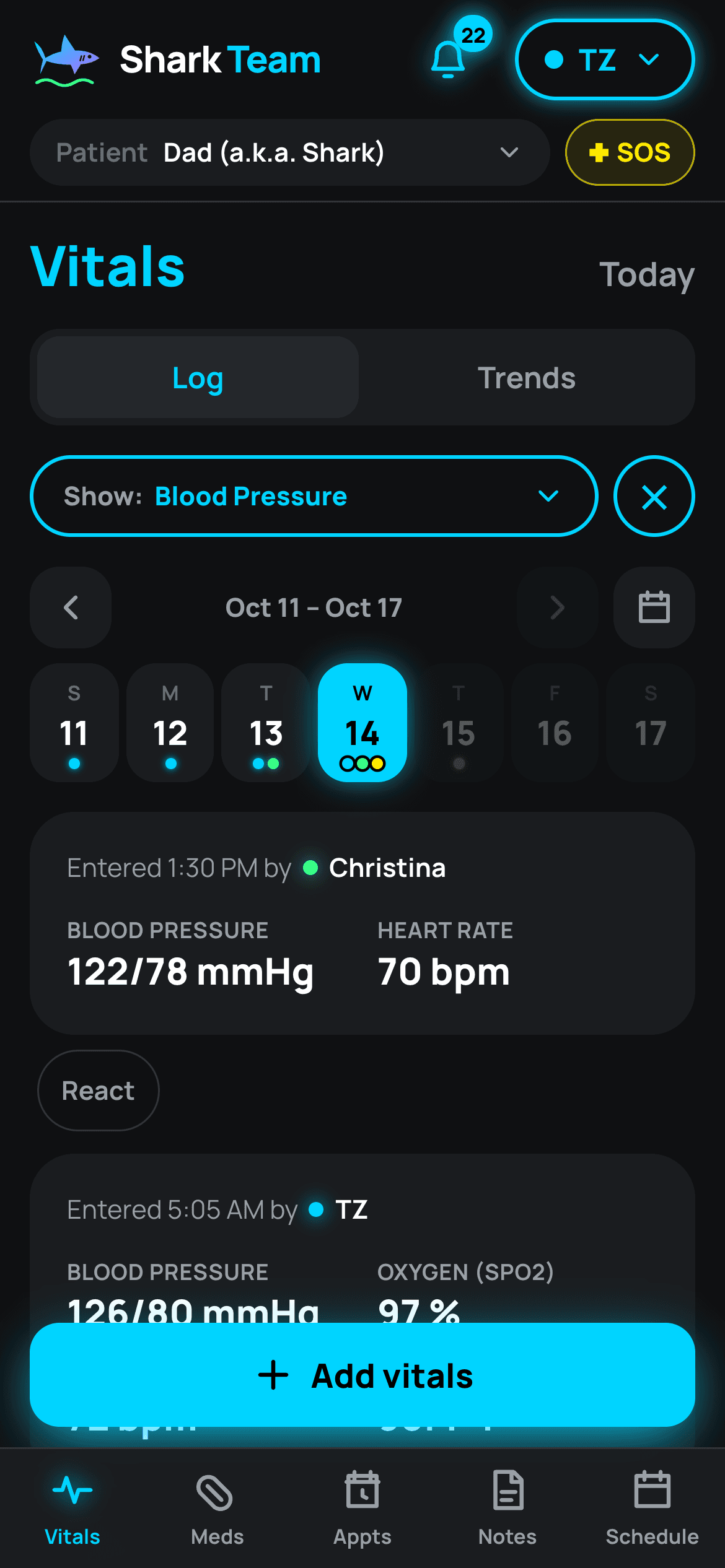
Log blood pressure, oxygen, heart rate and blood sugar
The vitals list starts with the common ones: blood pressure (mmHg), oxygen saturation (SpO2, %), heart rate (bpm), blood sugar (mg/dL) and temperature. Fill in only what you measured. Blanks stay blank, so a quick oxygen check doesn't look like a missing blood pressure.
Every reading is saved with the time and the name of the person who took it. If someone corrects a typo later, the original is kept, so the record stays honest.
- Fill in only what you took
- Each reading shows who took it and when
- Corrections keep the original
Custom vitals for anything you need to watch
Every patient is different. Add your own vitals with their own units: weight, pain level, a wound's size, fluid intake or anything your doctor asked you to keep an eye on. Turn off the ones you don't use so the screen stays simple.
Add a photo or video to a reading when a picture tells more than a number. Watching a healing wound? Measure it and snap a photo each time, then flip through them to see the progress.
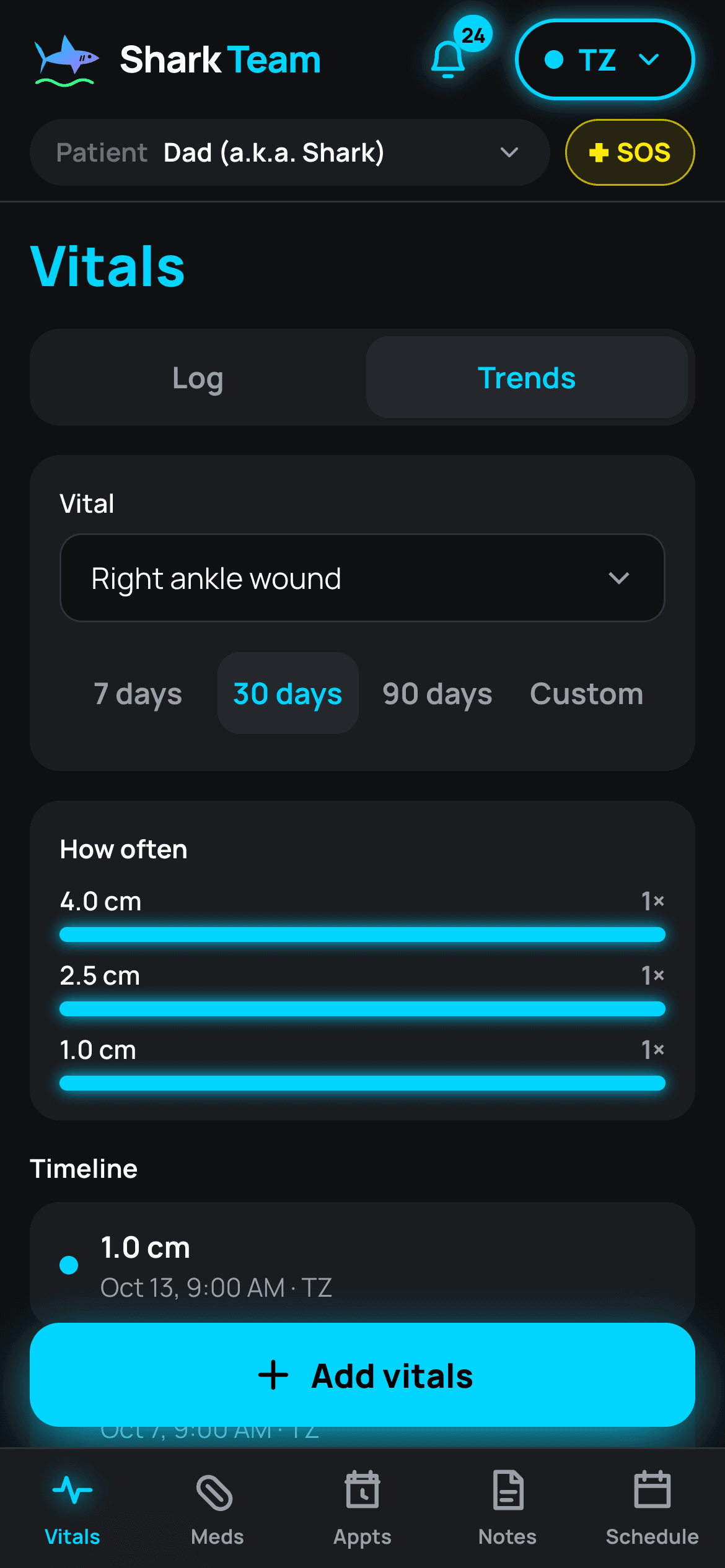
See trends, and get alerts when a reading is out of range
Filter to one vital to see every reading in order, or open Trends to see how it's changing. It's an easy way to spot a pattern, like blood pressure creeping up in the evenings.
Set a range for any vital. If a reading falls outside it, or several readings in a row do, the Account Holder and Admins get an alert. The alert never shows the reading itself on the lock screen, only that something needs a look. Your doctor can tell you what range makes sense.
- Filter to one vital or see them all
- Range alerts and “several in a row” alerts
- Alerts never show the reading on the lock screen
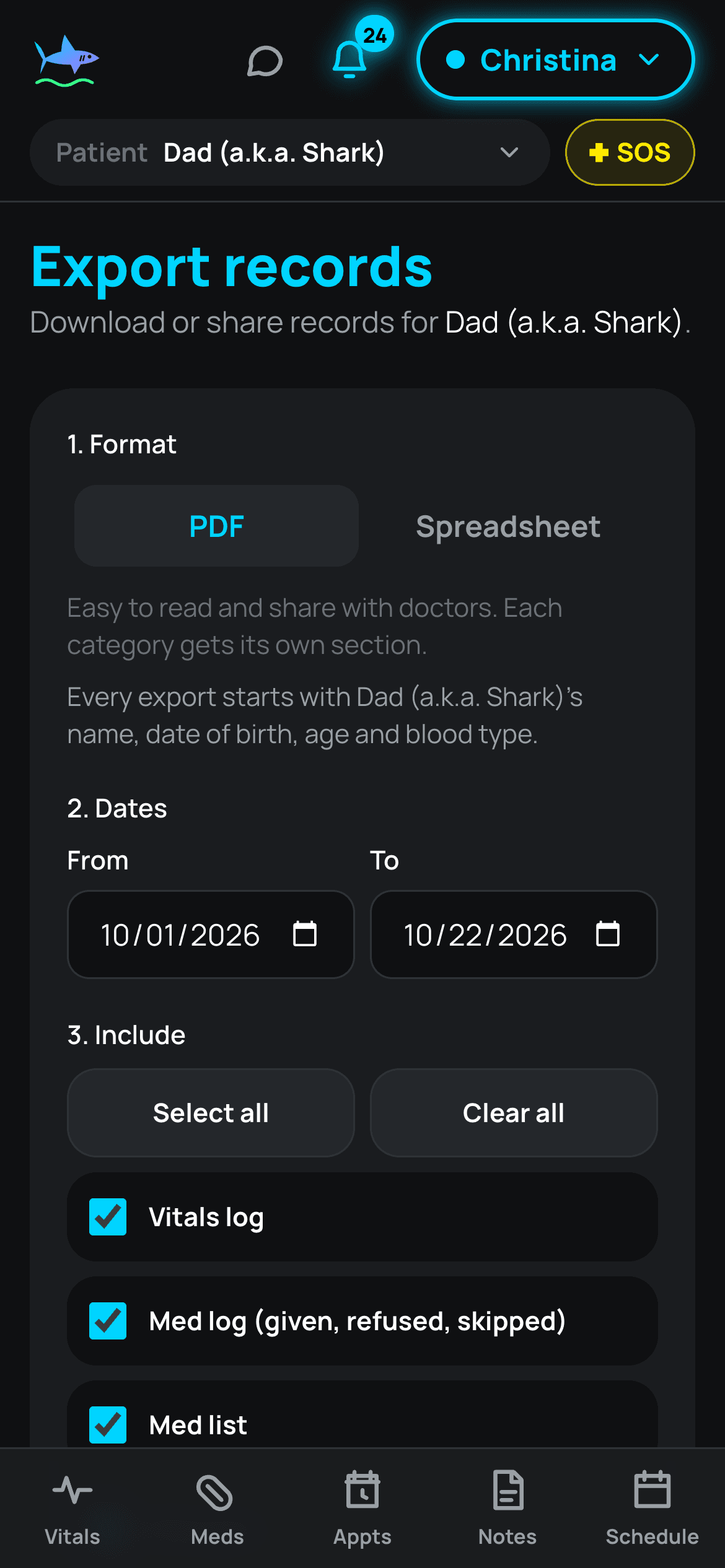
Share vitals with the doctor as a PDF
Before an appointment, export the vitals log as a PDF or a spreadsheet for exactly the dates you choose. Each export starts with the patient's name, date of birth, age and blood type, and each category gets its own section.
Pair it with our guide on how to keep a blood pressure log at home for tips on taking a good reading.
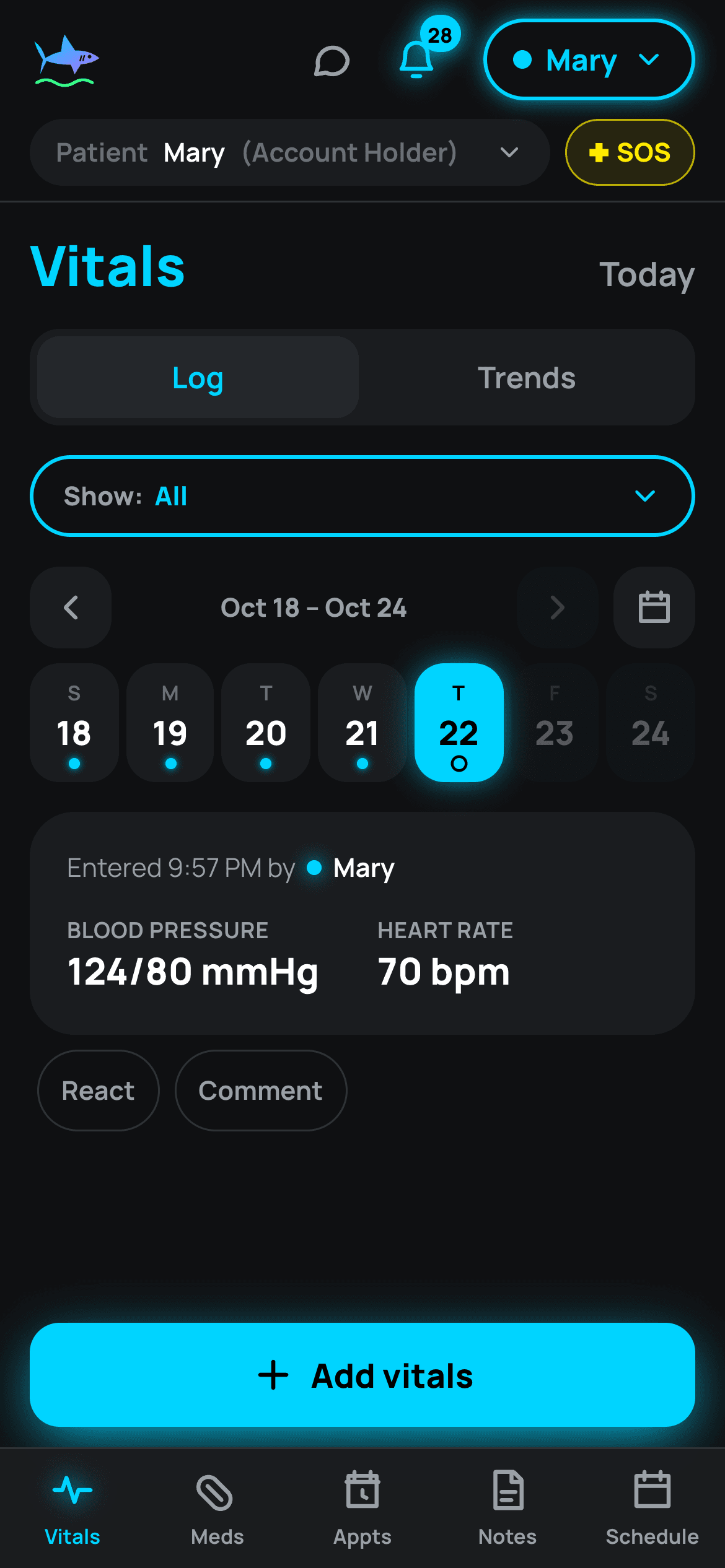
Track your own vitals, too
You don't need a care team to use it. Many people track their own blood pressure or blood sugar in Shark Team, with nobody else invited. Learn more about using it as a personal health tracker.
Who uses a shared vitals log
Families of someone with high blood pressure
Everyone who takes a reading logs it in the same place.
Caregivers on shift
Readings logged during the shift, visible to the family right away.
People managing diabetes or heart conditions
Blood sugar or blood pressure logs ready for the next visit.
Anyone recovering at home
A custom vital and photos to watch a wound or swelling improve.
Private by design
Each patient's information is shared only with the people you invite, and each role sees only what it should. We never sell your data, there are no ads, and there's no tracking. Lock-screen notifications never show readings or message text. Read our privacy policy.
Not medical advice
Shark Team helps you keep good records and share them. It doesn't give medical advice, diagnose anything or replace your doctor, nurse or pharmacist. In an emergency, call 911.
Vitals tracker questions
Is the vitals tracker free?
Early access is free.
Which vitals can I track?
Blood pressure, oxygen (SpO2), heart rate, blood sugar and temperature are ready to go, and you can add your own, such as weight or a wound measurement, with their own units.
Does Shark Team connect to my blood pressure monitor?
No. You type in the reading from your monitor or meter. It takes a few seconds, and it works with any device.
Will it tell me if a reading is dangerous?
Shark Team can alert you when a reading is outside a range you set, but it doesn't give medical advice. Ask your doctor what range is right, and call 911 in an emergency.
Can family members see the readings?
Only the people you invite to that patient's team. Each person's role decides what they can see and do.
Get your family's care on the same page.
Early access is free. We'll set you up personally.